Retention rate report
Last updated: March 5, 2026
Overview
Retention is a key indicator of customer satisfaction, loyalty, and agency stability. High retention means stronger recurring revenue, lower acquisition costs, and better carrier relationships. This approach is specifically designed for organizations who define retention at the policy level, and a policy is considered retained if it is successfully renewed. If you have different organizational definitions, this information may not be applicable to your use case.
Requirements
To measure policy retention, you’ll need a reliable data point that indicates whether a policy has renewed, such as a Policy Renewed checkbox. If such a field does not exist, you can create a formula field to capture renewal status.
Create a renewal formula field
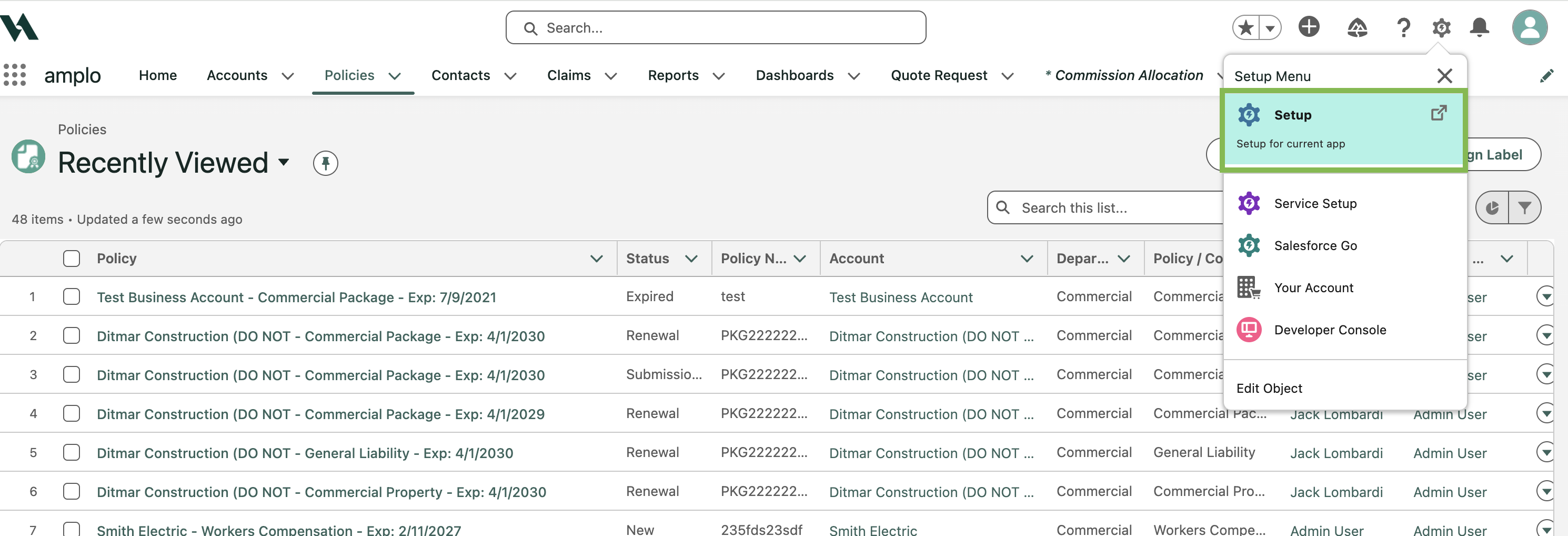
Click the gear icon in the top navigation, and click Setup.
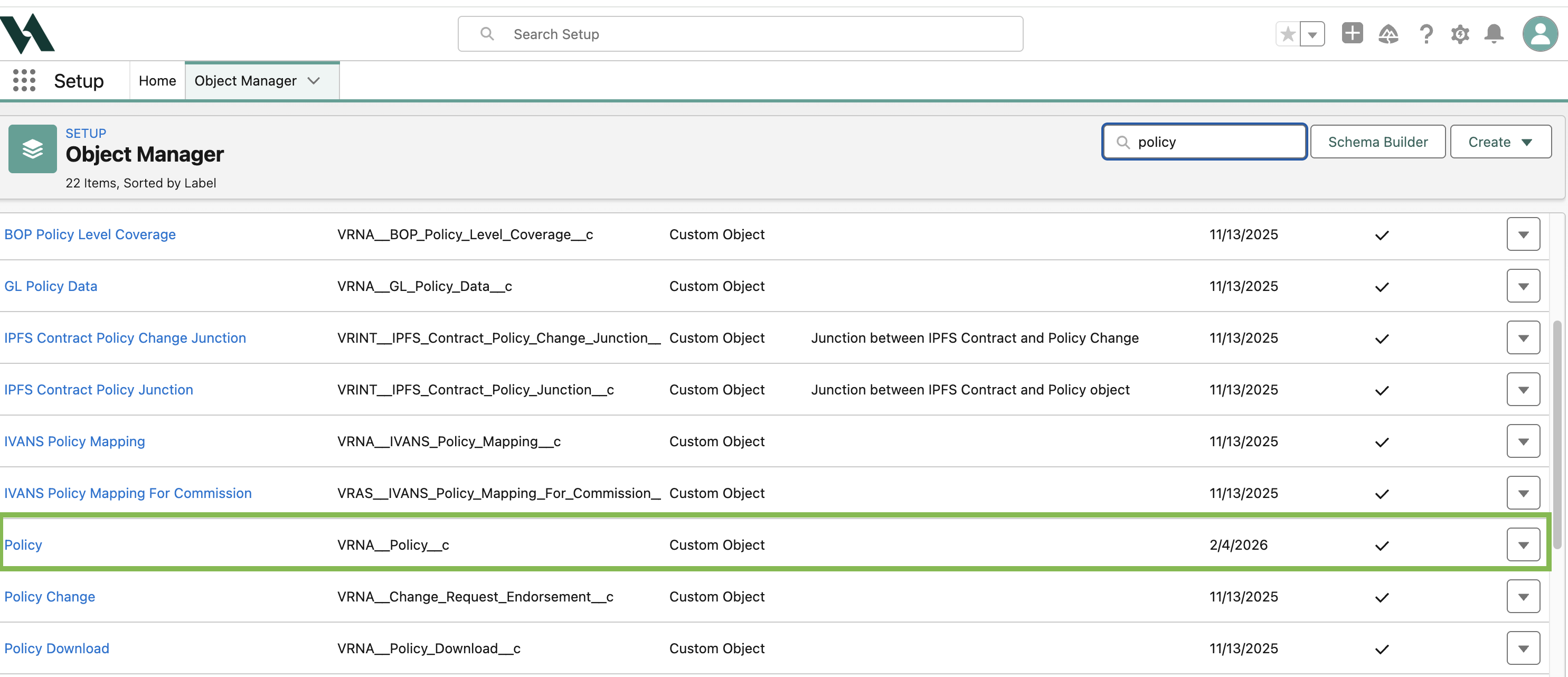
In the Quick Find search box, type and select Object Manager.
Search and select Policy.
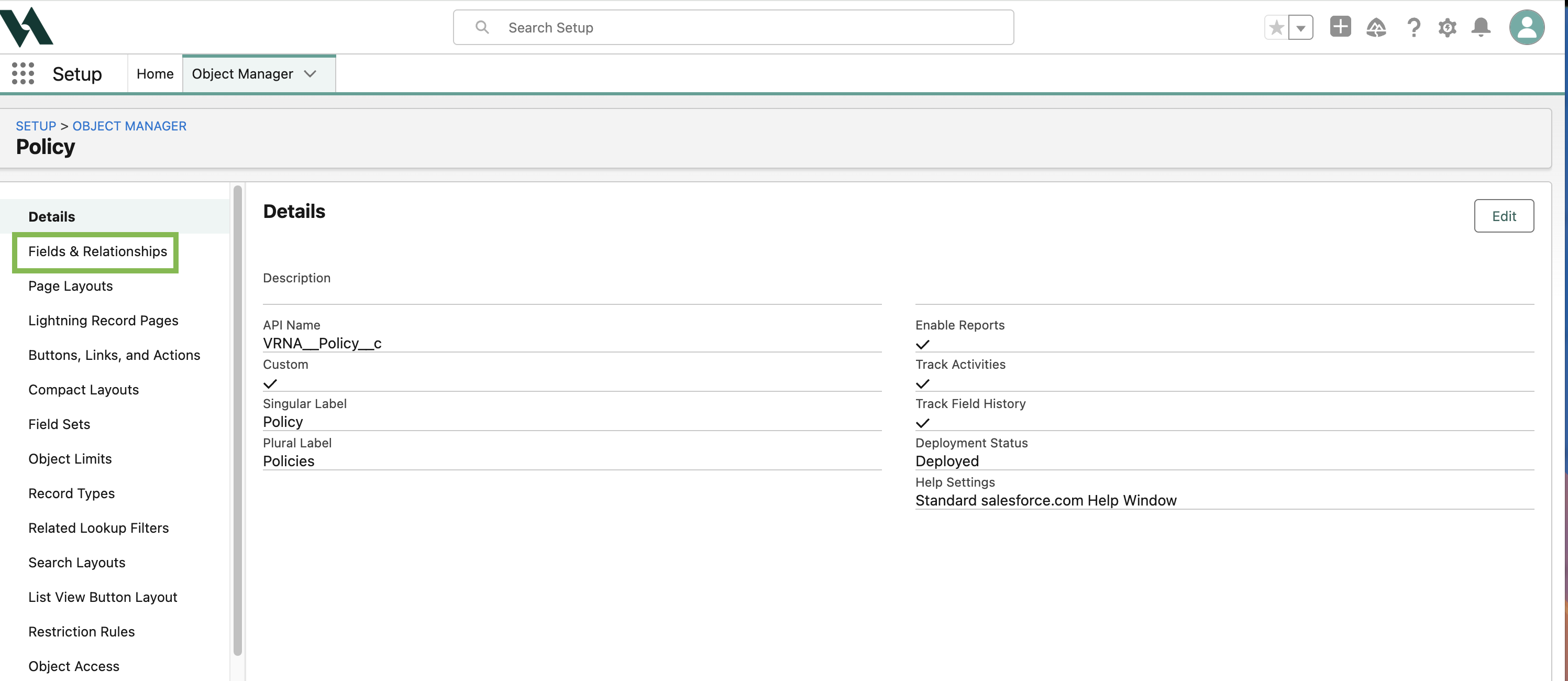
Click Fields & Relationships.
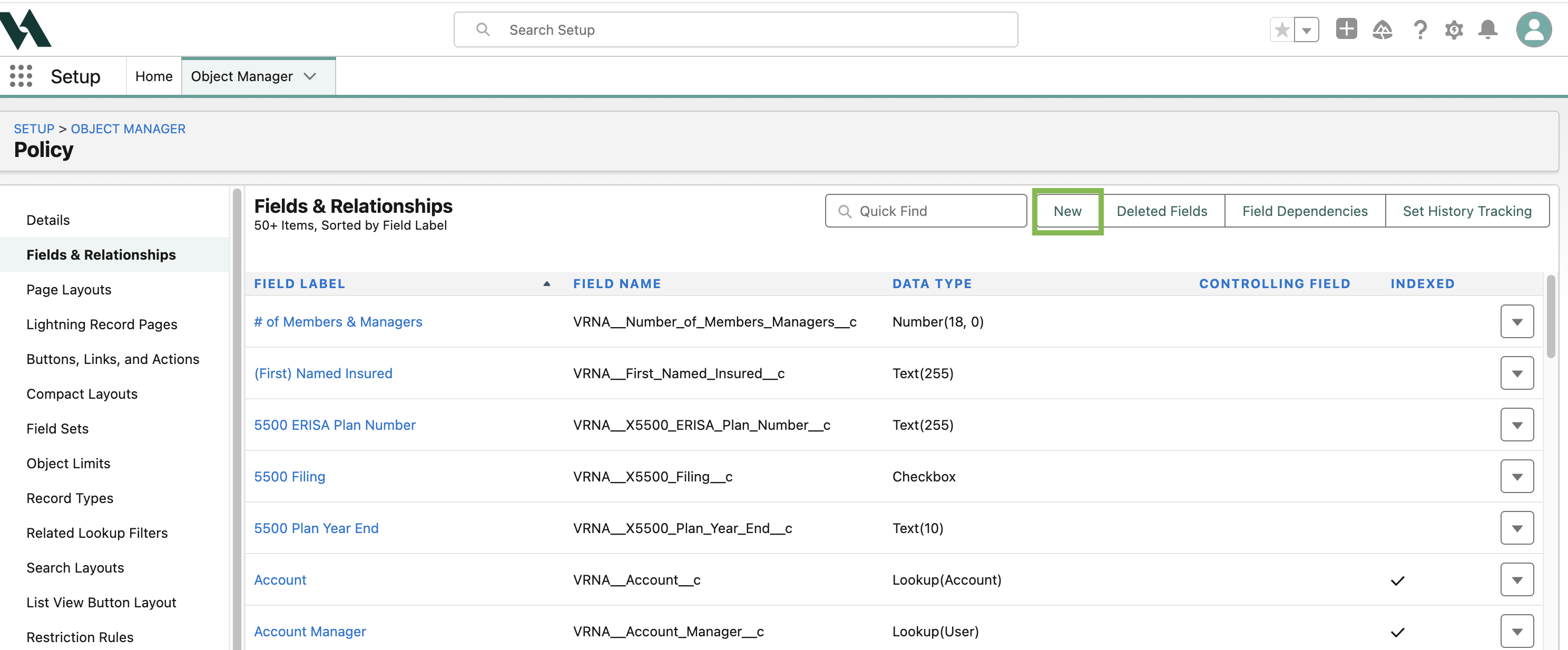
Click New.
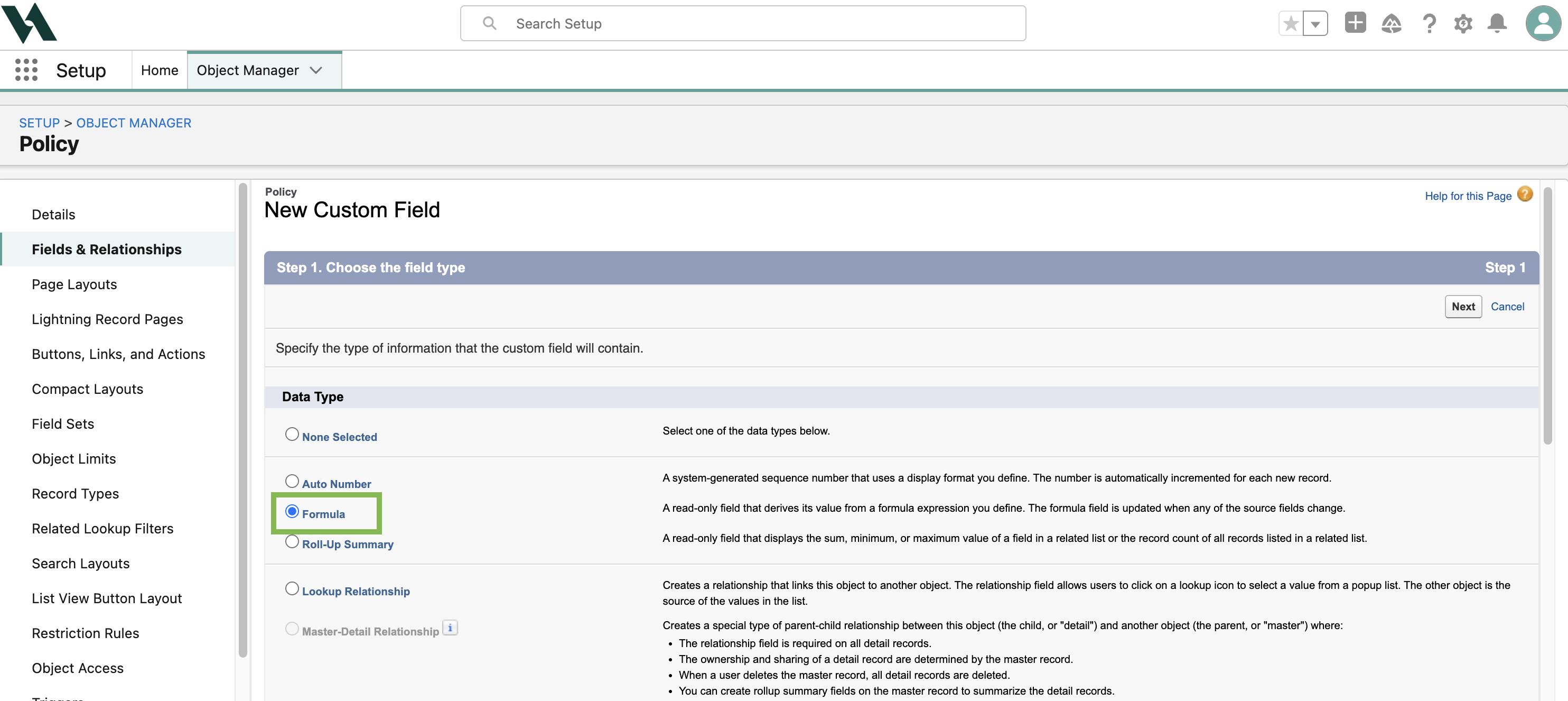
Select Formula as the data type.
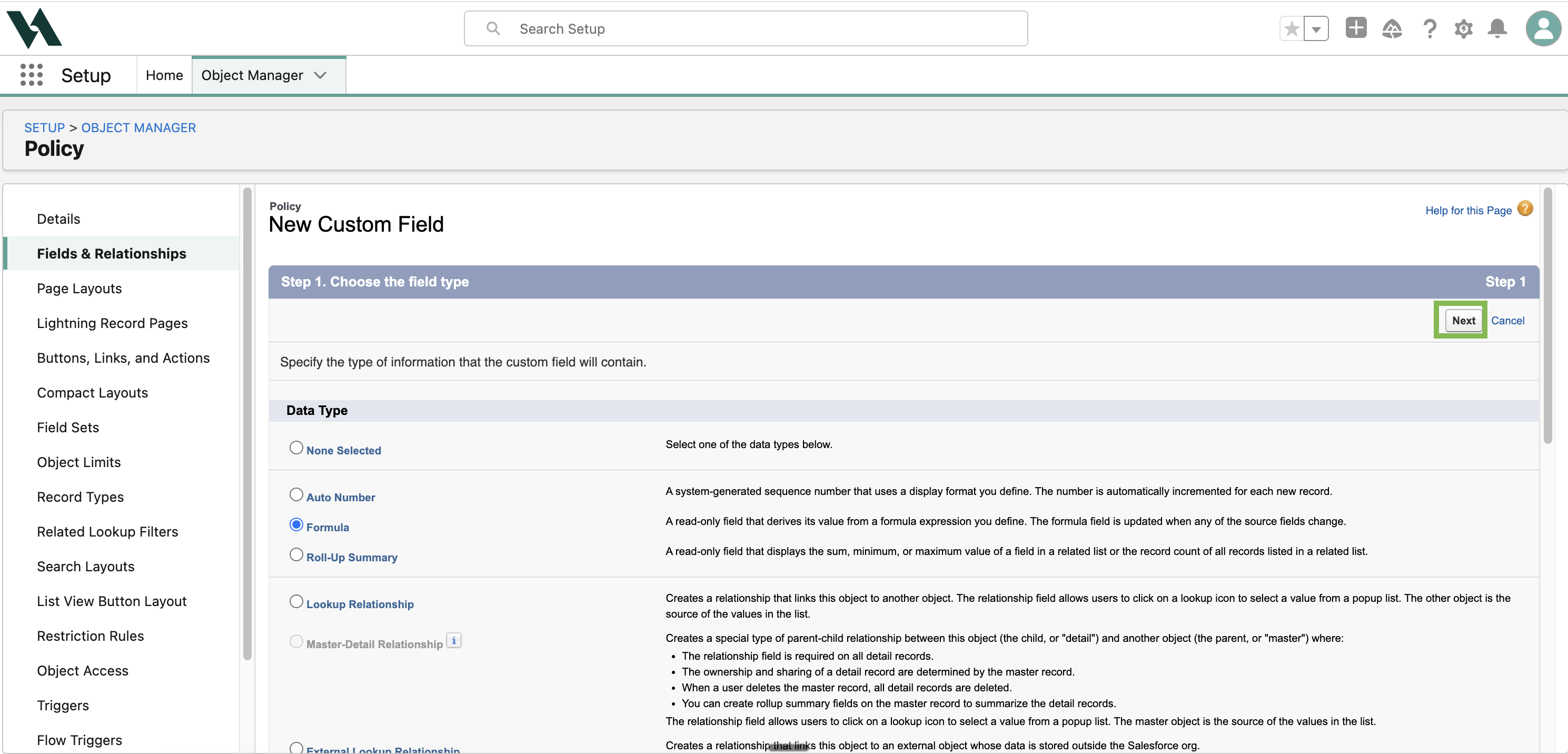
Click Next.
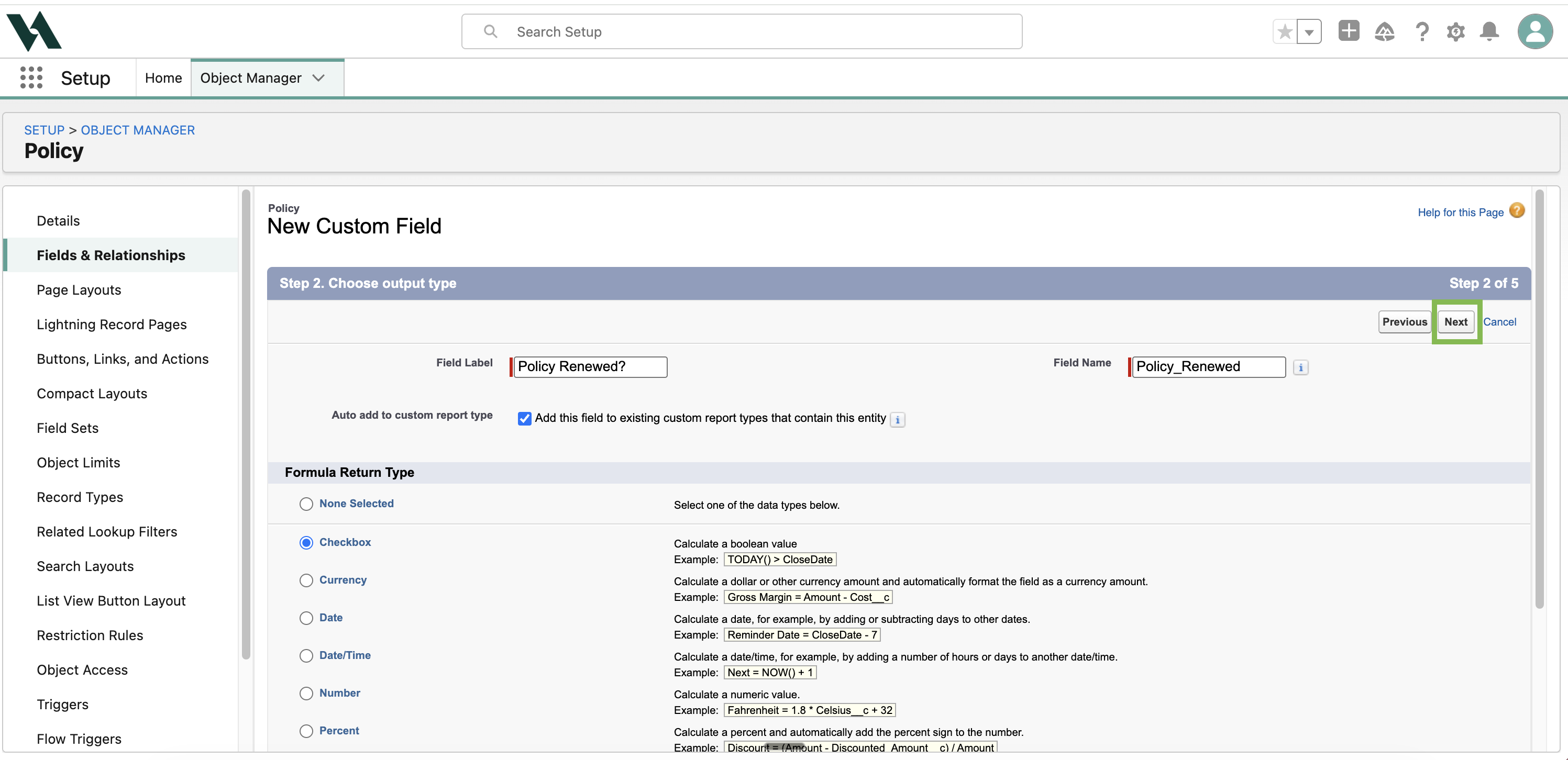
Enter:
Field Label: Policy Renewed?
Field Name: will auto-populate.
In the Formula Return Type section, select Checkbox.
Click Next.
Click the Advanced Formula tab.
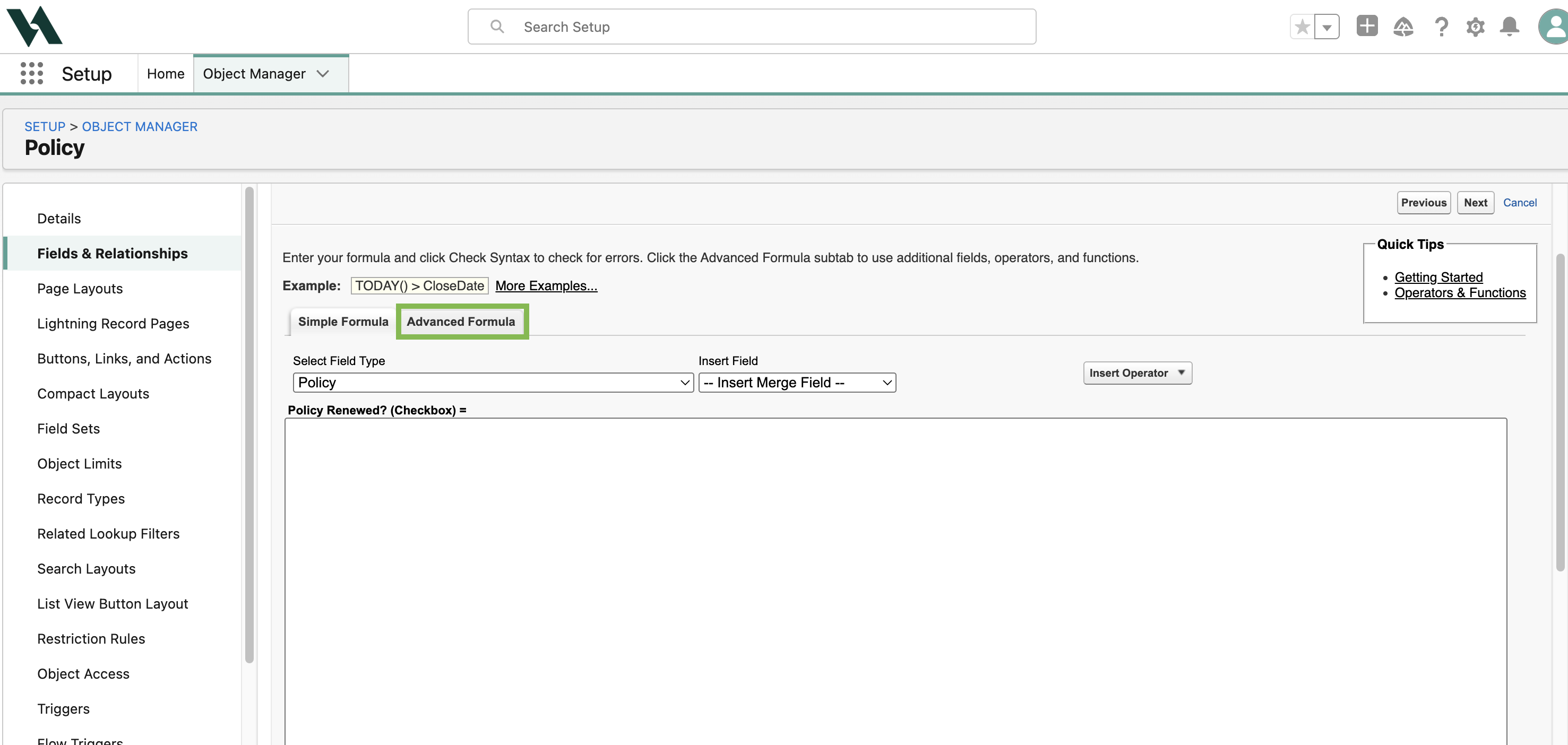
Enter the following formula:
AND (
NOT( ISNULL(VRNA__Superseded_By__c ) )
, VRNA__Superseded_By__r.VRNA__Record_Type_Code__c = 'W'
)
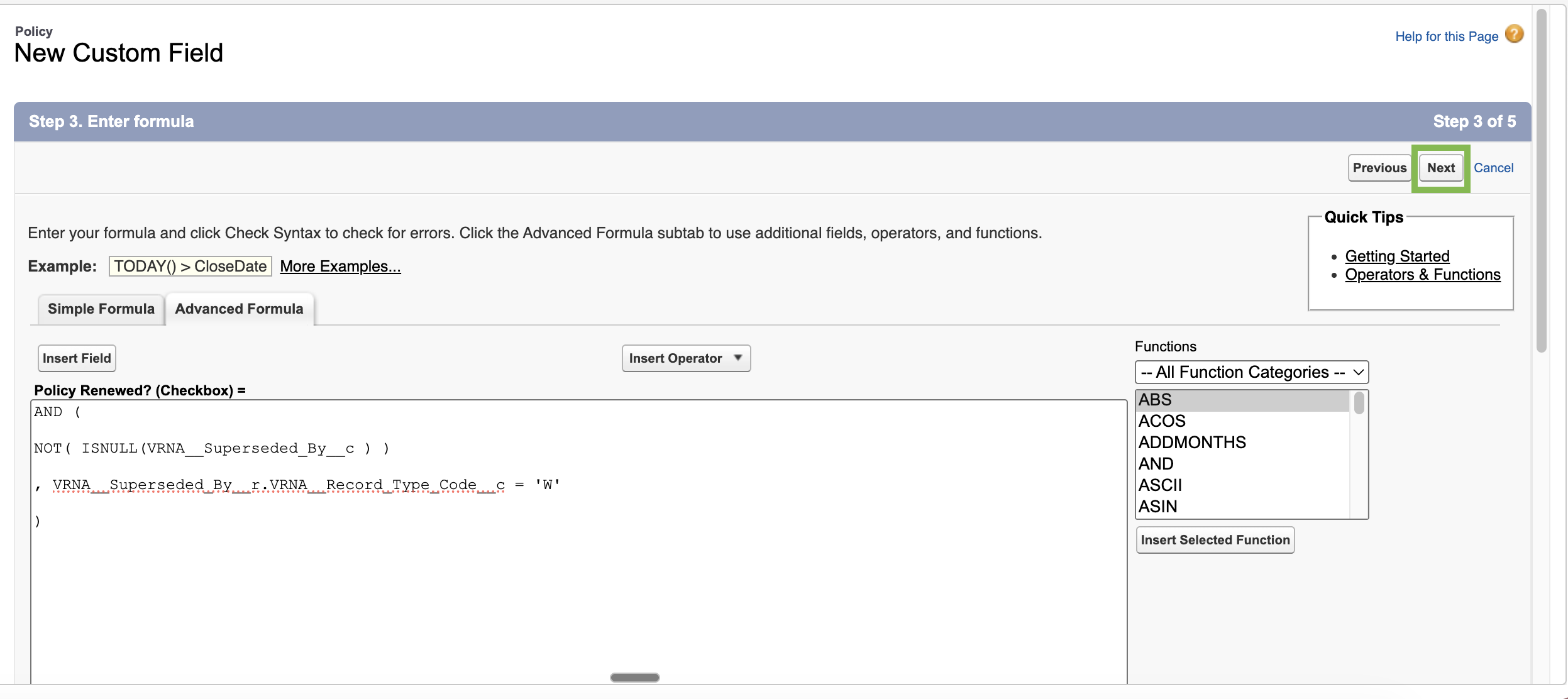
Note: This formula checks that the Superseded By field is not blank (meaning the policy was replaced) and the superseding policy is Written.
Click Next.
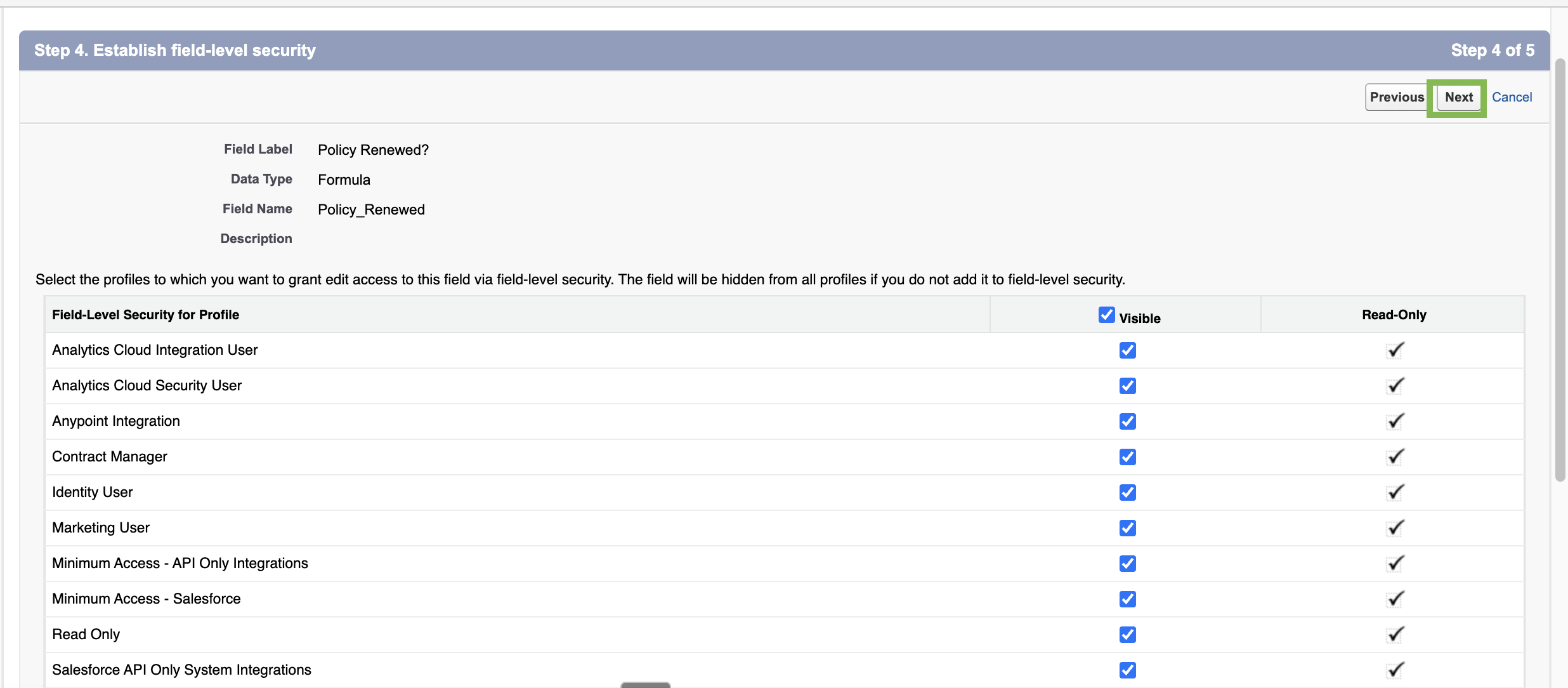
Adjust the field-level security settings, then click Next.
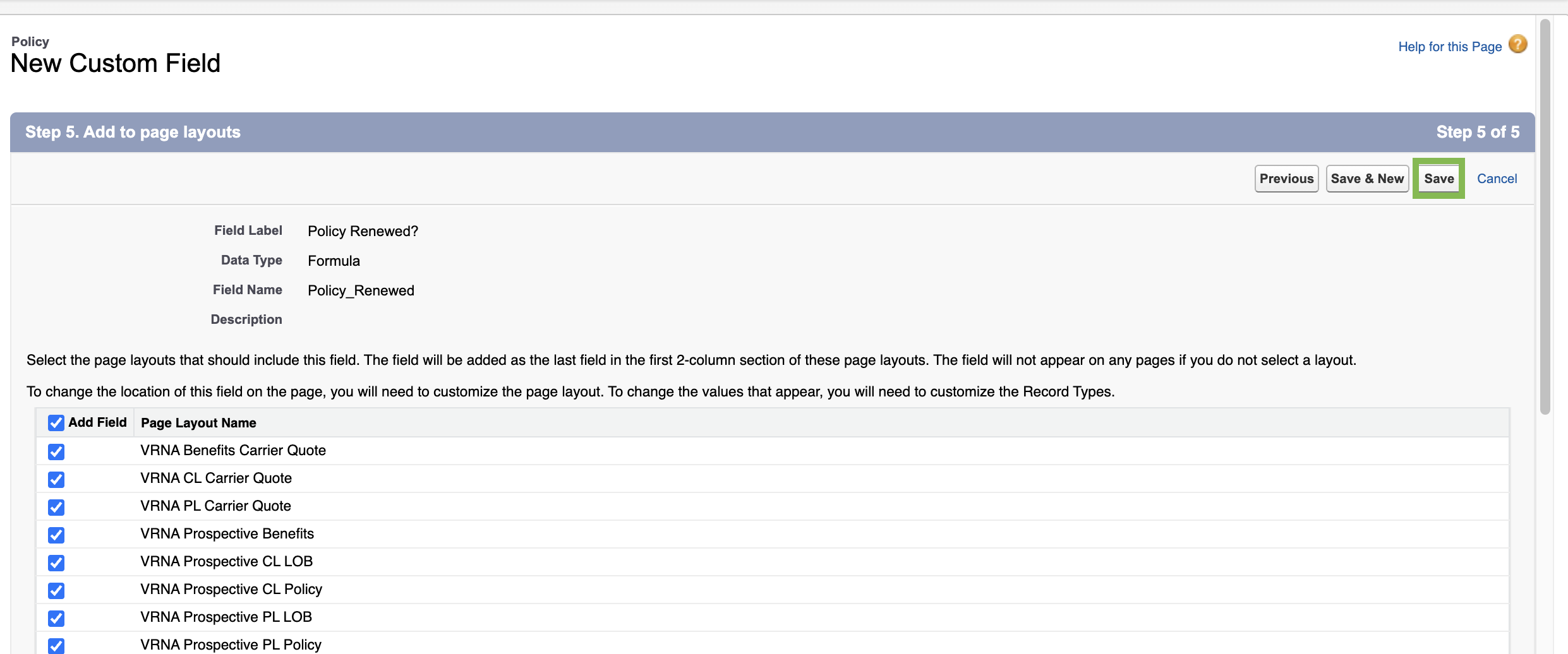
Choose what page layout(s) the field should be added to, then click Save.
Create the report
Follow the instructions in Create a new report.
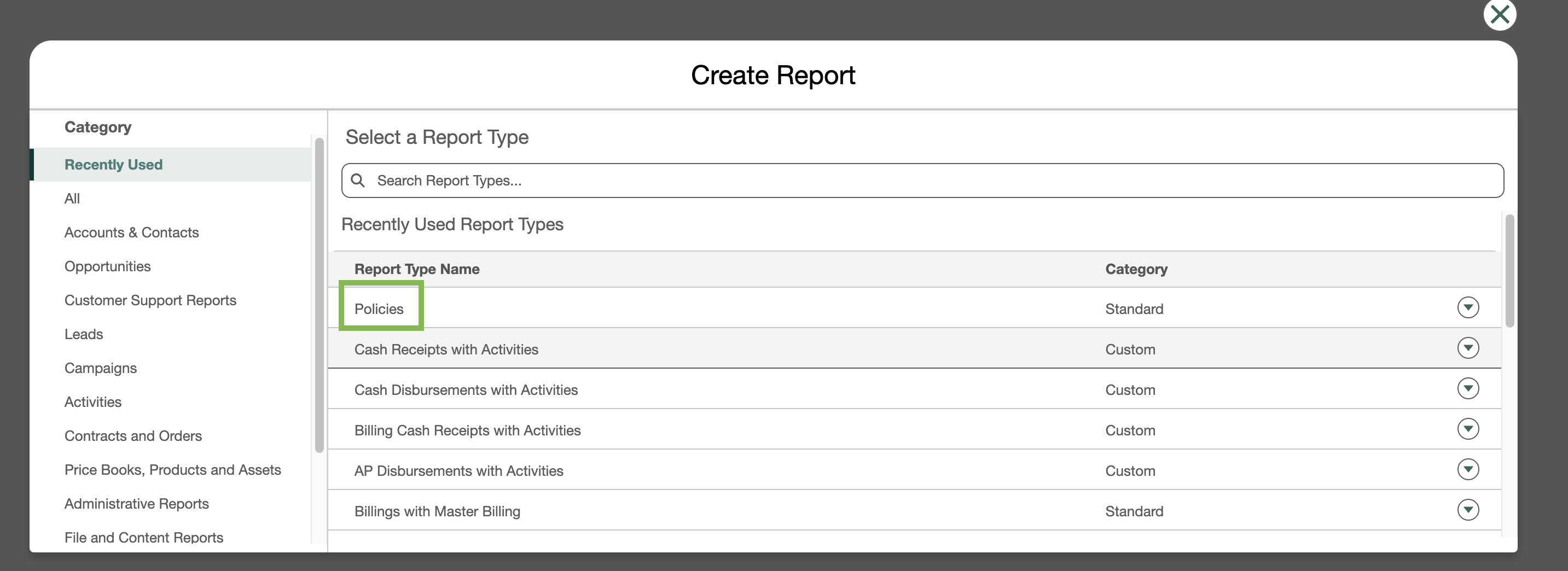
On the Create Report modal, select Policies for the Report Type Name.
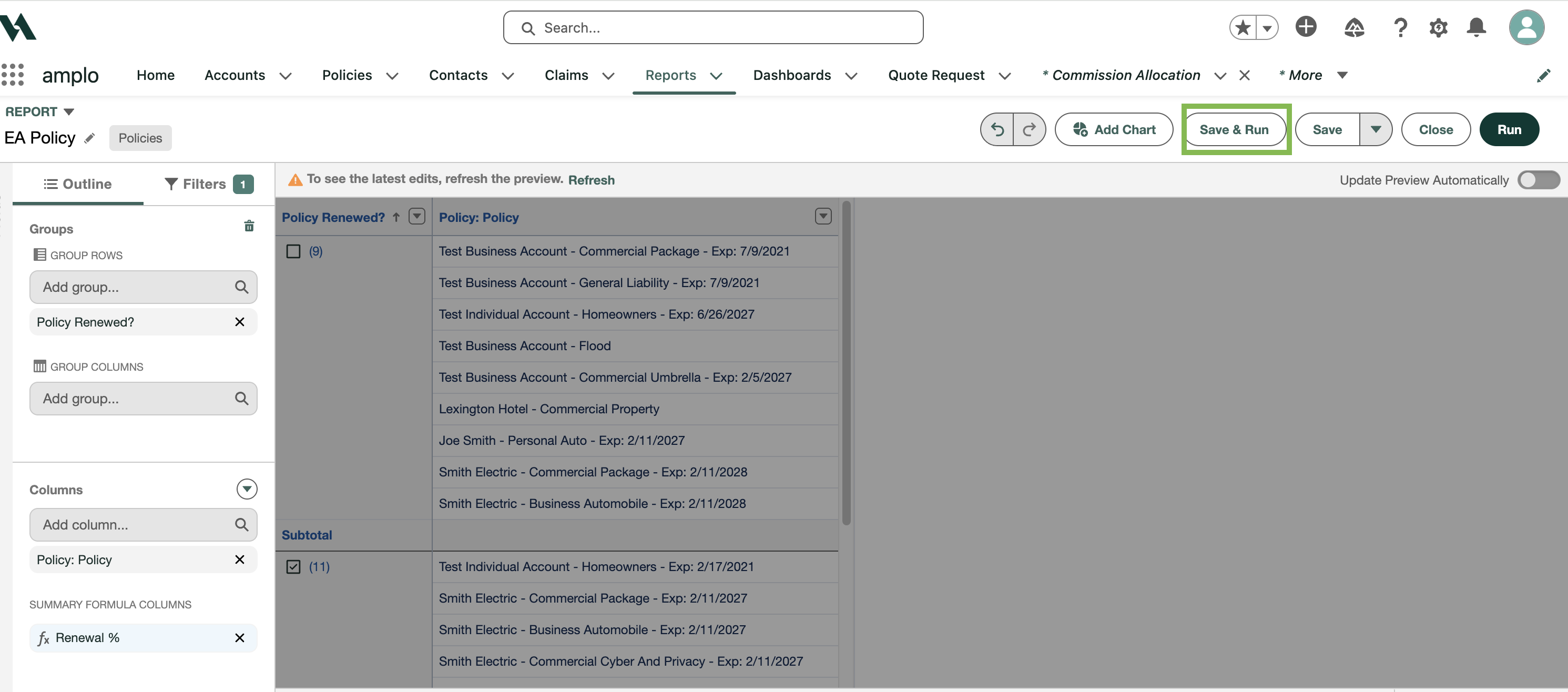
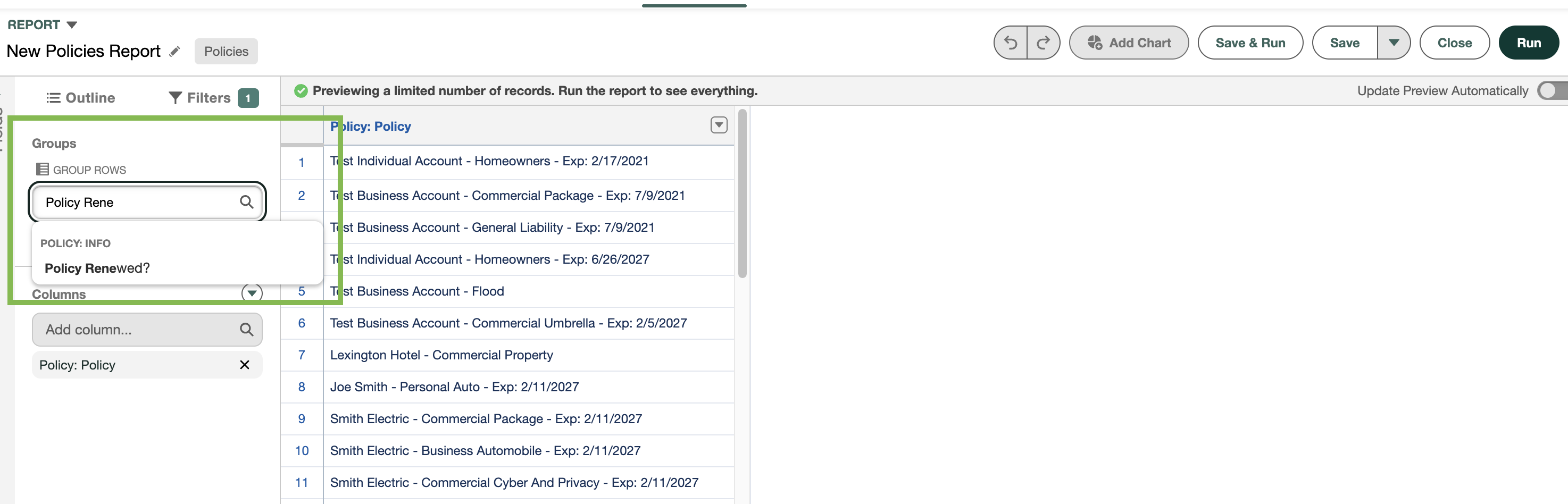
Group the report by the field that represents a renewed policy.
Add useful columns such as:
Policy Number
Customer Name
Effective Date
Expiration Date, and so on.
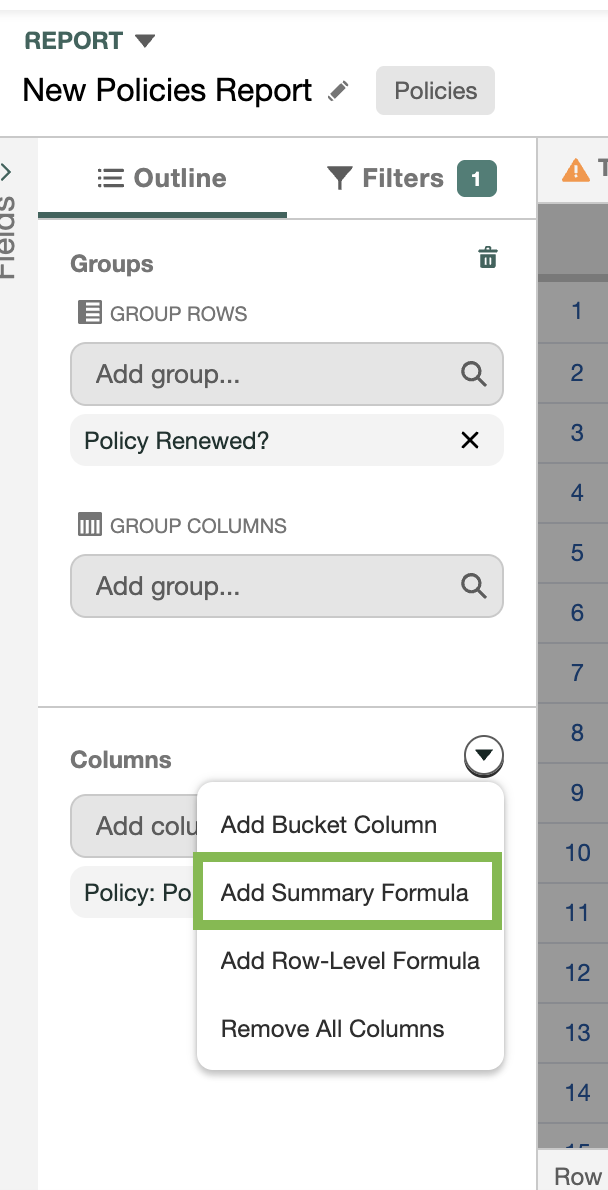
Add a summary formula
Click the dropdown and select Add Summary Formula.
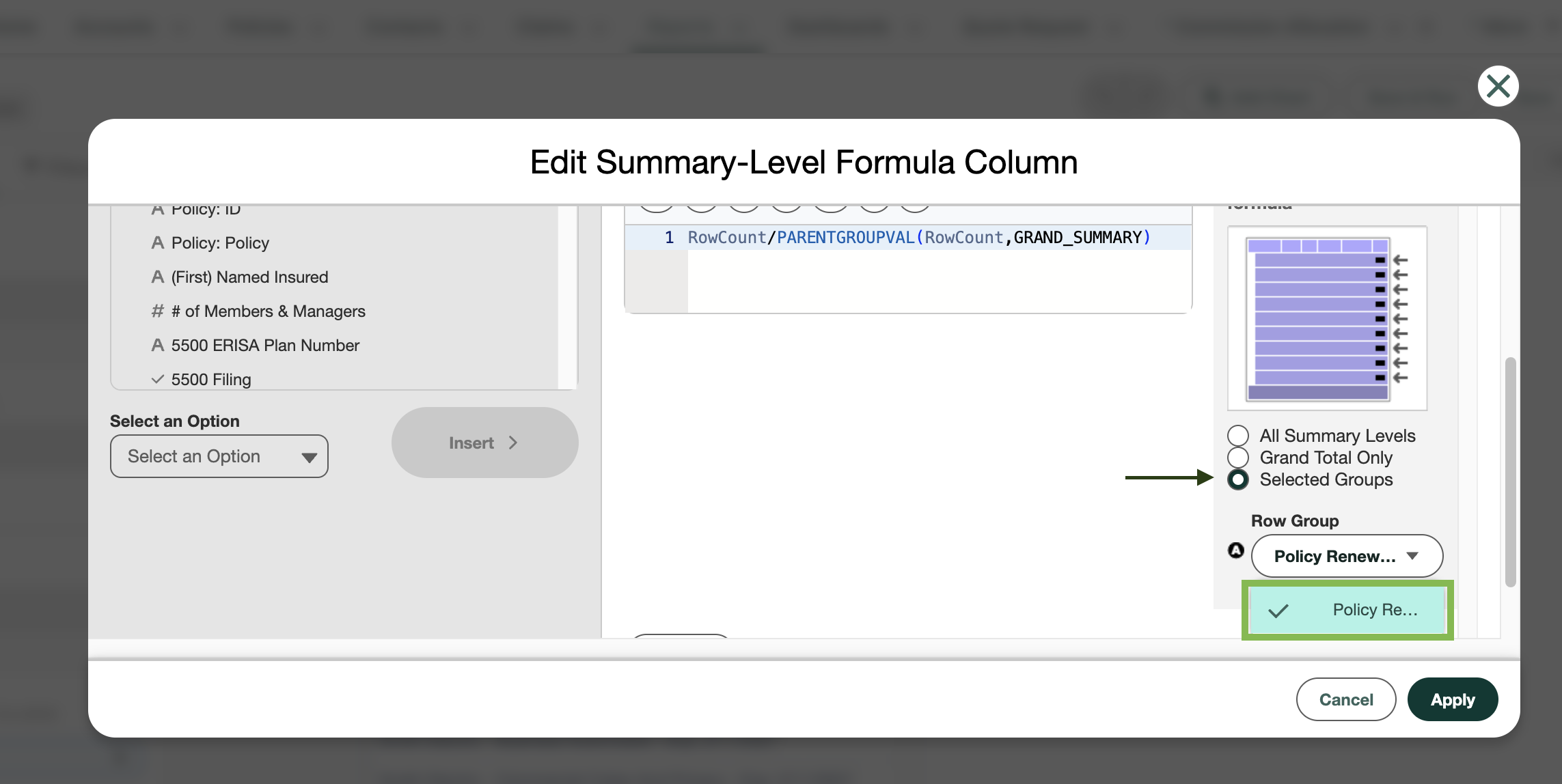
In the Edit Summary-Level Formula Column modal, set the following:
Column Name: Renewal %
Output Type: Percentage
Formula:
RowCount/PARENTGROUPVAL(RowCount,GRAND_SUMMARY)Display: Select Selected Groups
Row Group: Select Policy Renewed?
Click Apply. You'll see the Renewed % field in the Summary Formula column area.
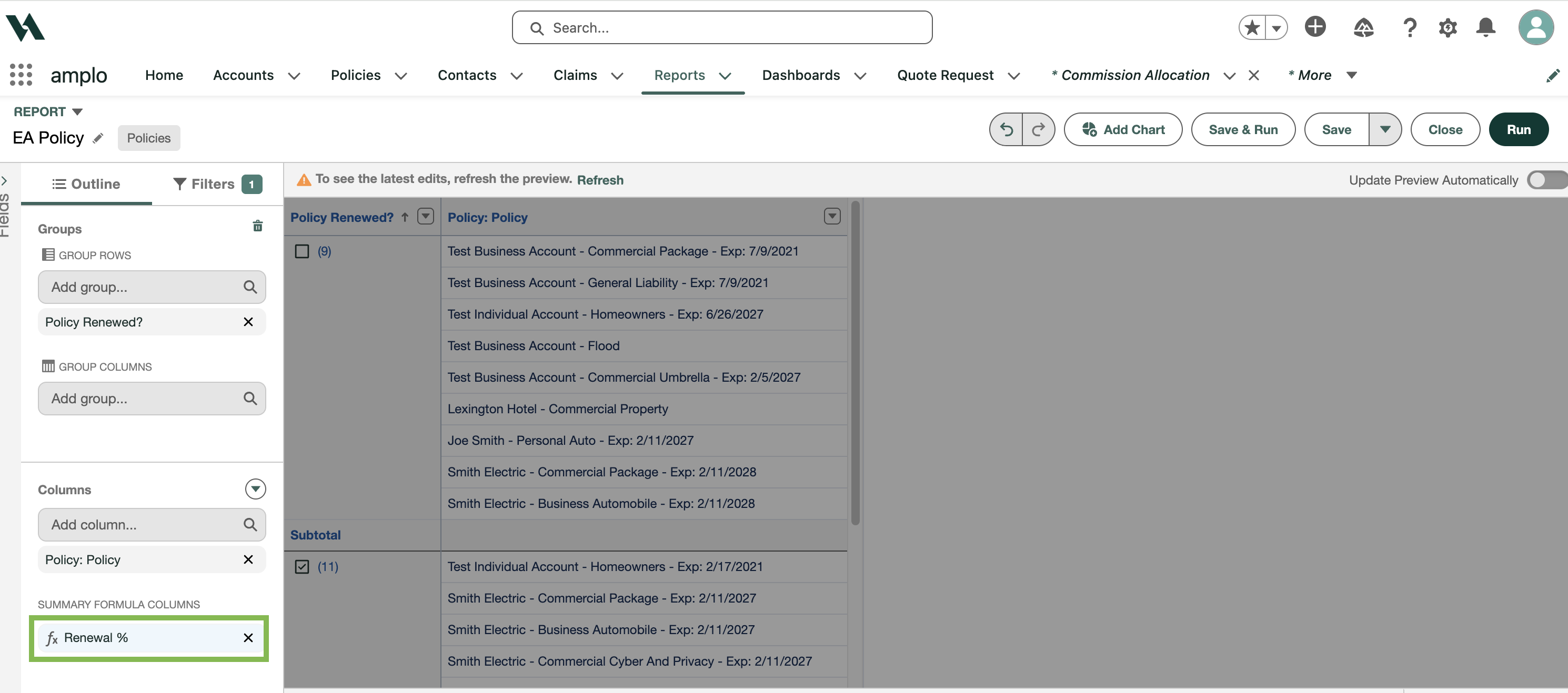
Use filters to define the reporting period and policy type, such as:
Expiration Date in the last 12 months
Record Type Code = W
Monoline/Package = Package Parent or Monoline
Click Save & Run.