Grant dashboard folder access
Last updated: September 8, 2026
Overview
If a user sees an error on their dashboard indicating that a source report is unavailable, they likely don't have access to the folder where the reports are stored. This typically affects individual users rather than the entire team, and an administrator can resolve it by sharing the appropriate reports folder with the affected user.
Locating the Report Folder
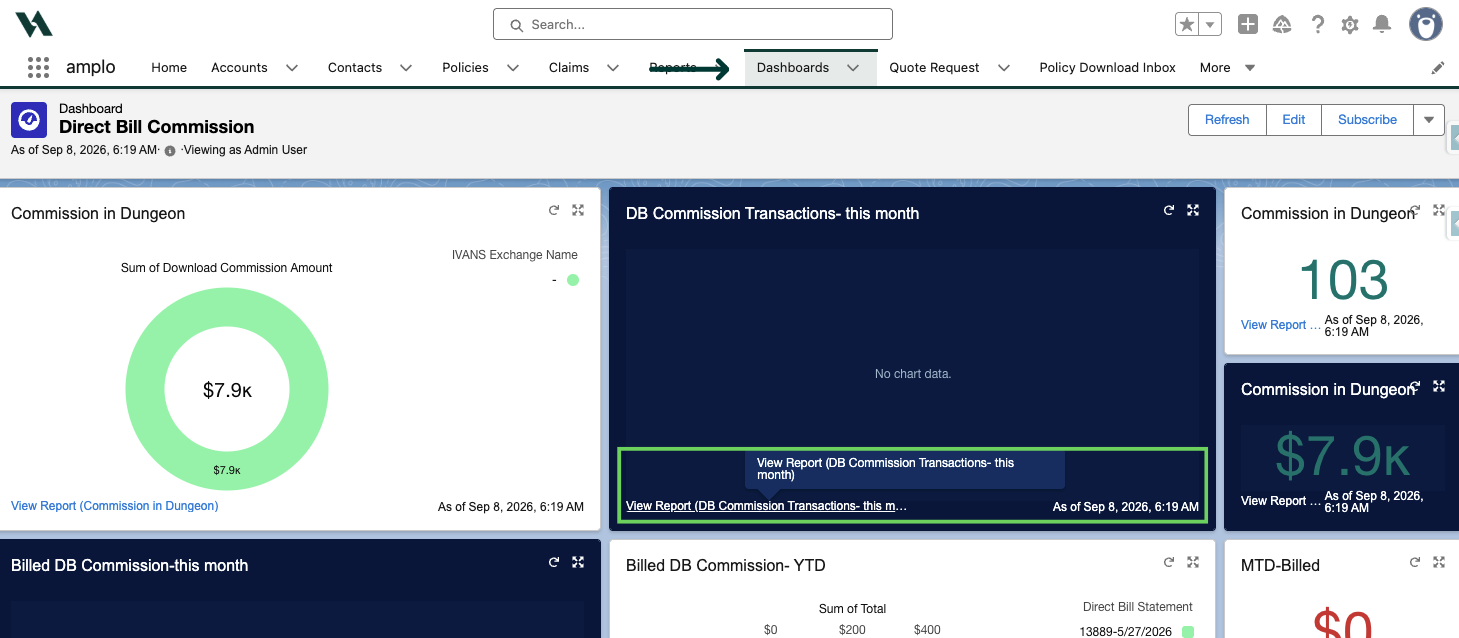
From the Dashboard tab, select the dashboard where the user is seeing the error.
Find the name of the report used in the dashboard.
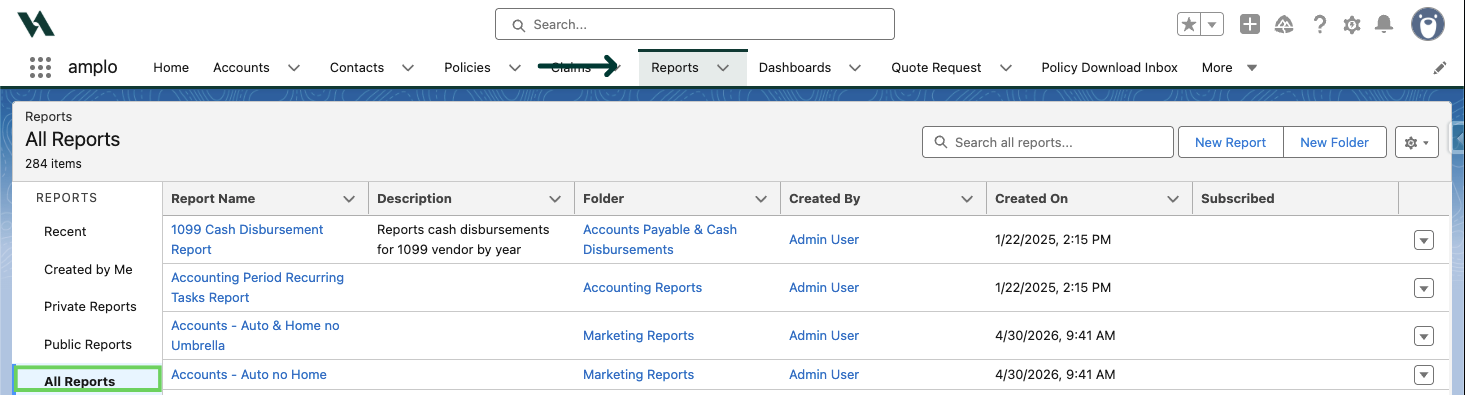
Select the Reports tab, then select View All Reports.
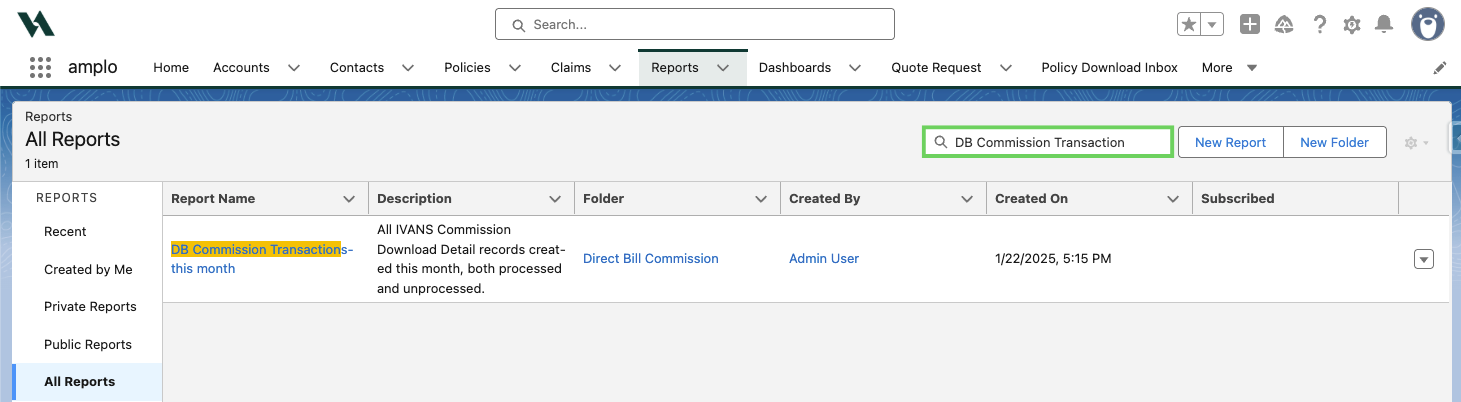
Search for the report associated with the dashboard.
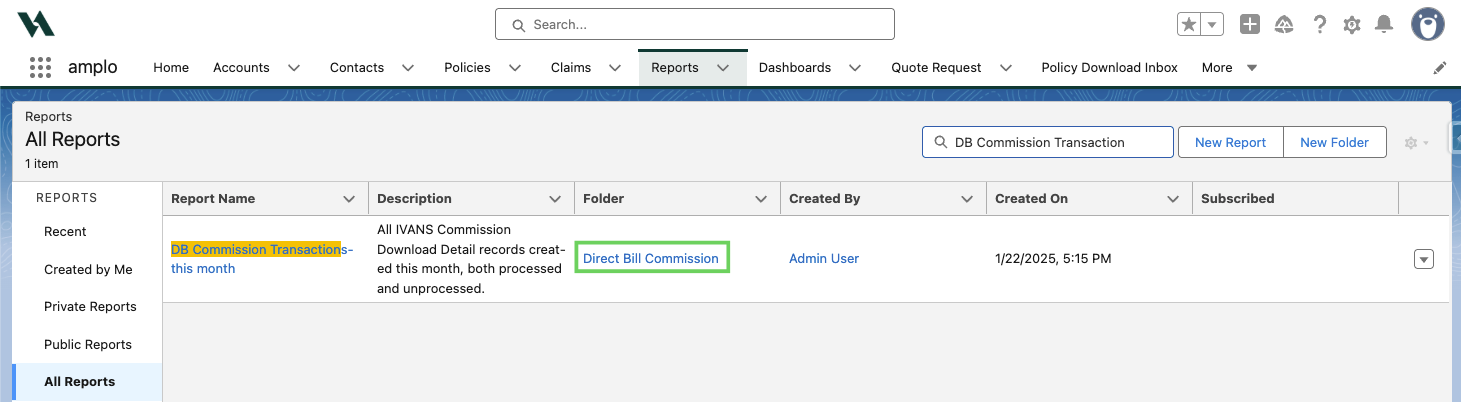
Confirm the report's folder name in the Folder column.
Grant access to the report folder
An administrator needs to share the relevant reports folder with the affected user.
In the Reports tab, select All Folders.
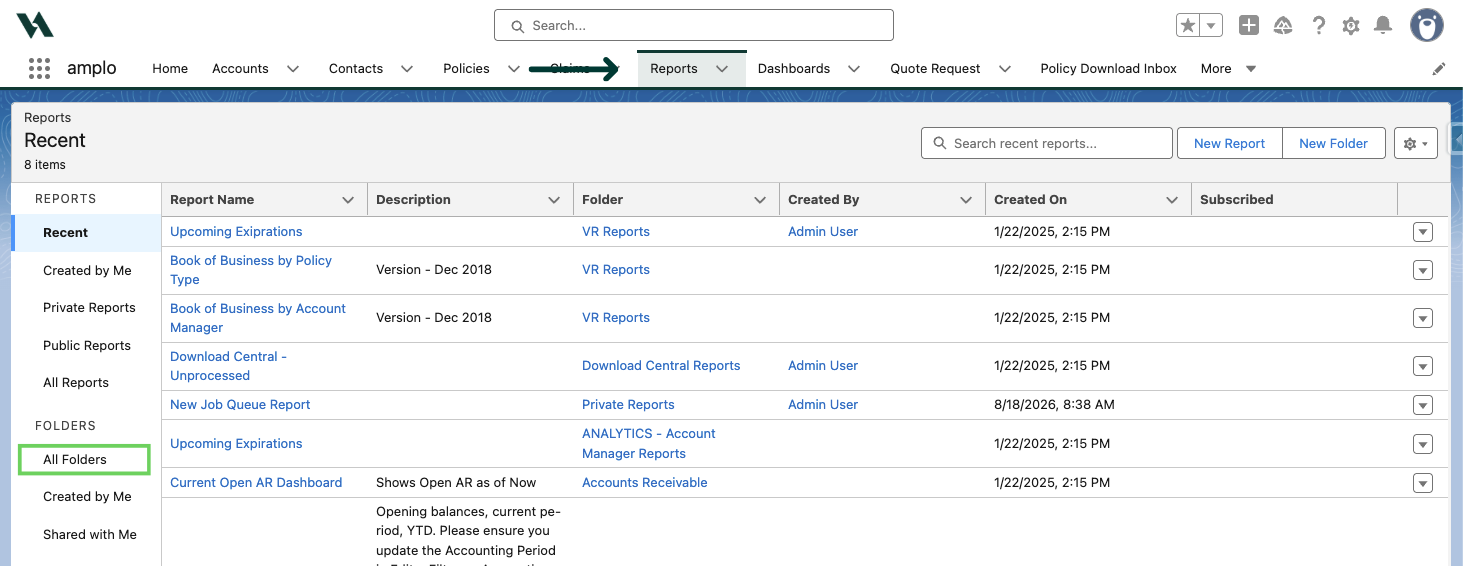
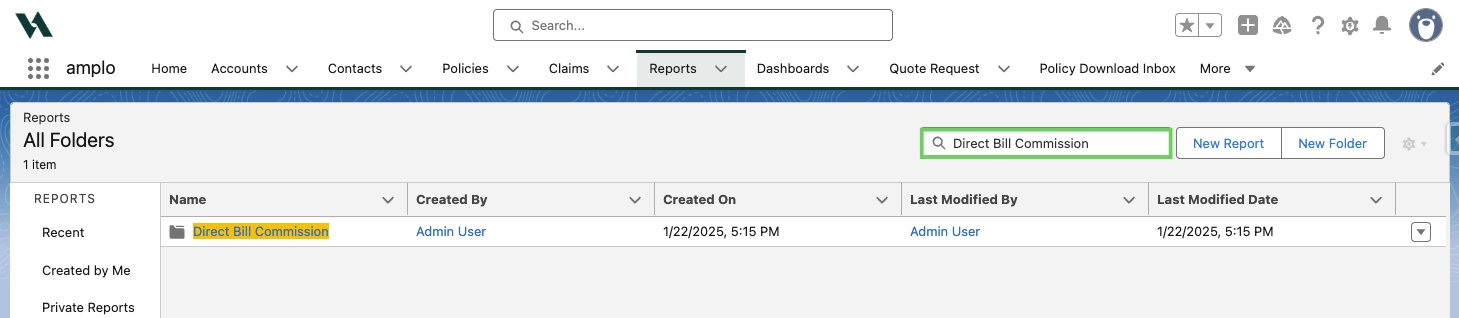
Use the Search all folders box to search and select the folder from the previous step.
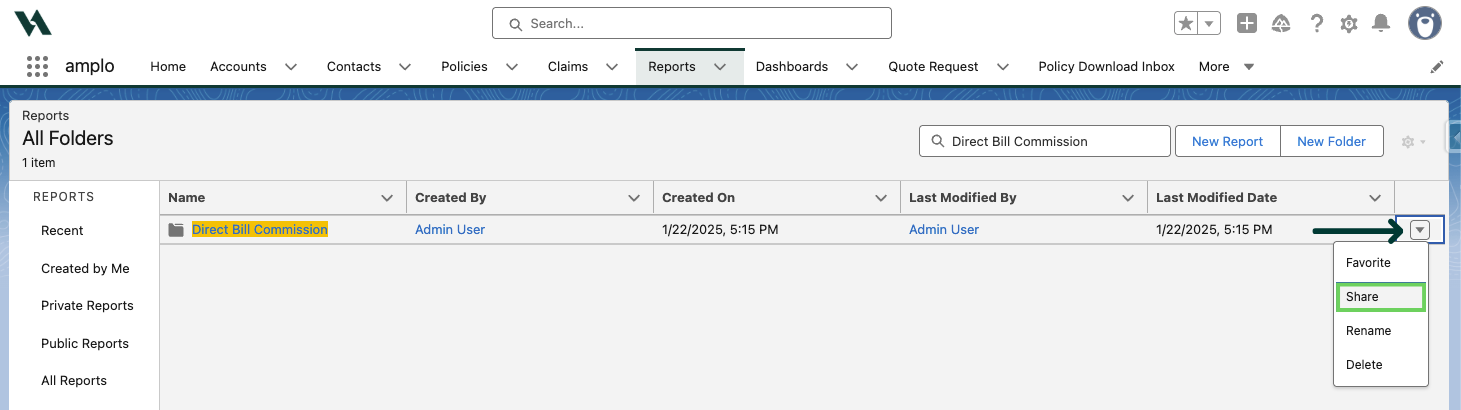
Click the drop-down arrow in the top right corner and select Share.
In the Share With field, select how you want to share the folder:
Users
Roles
Role and Internal Subordinates
Public Groups
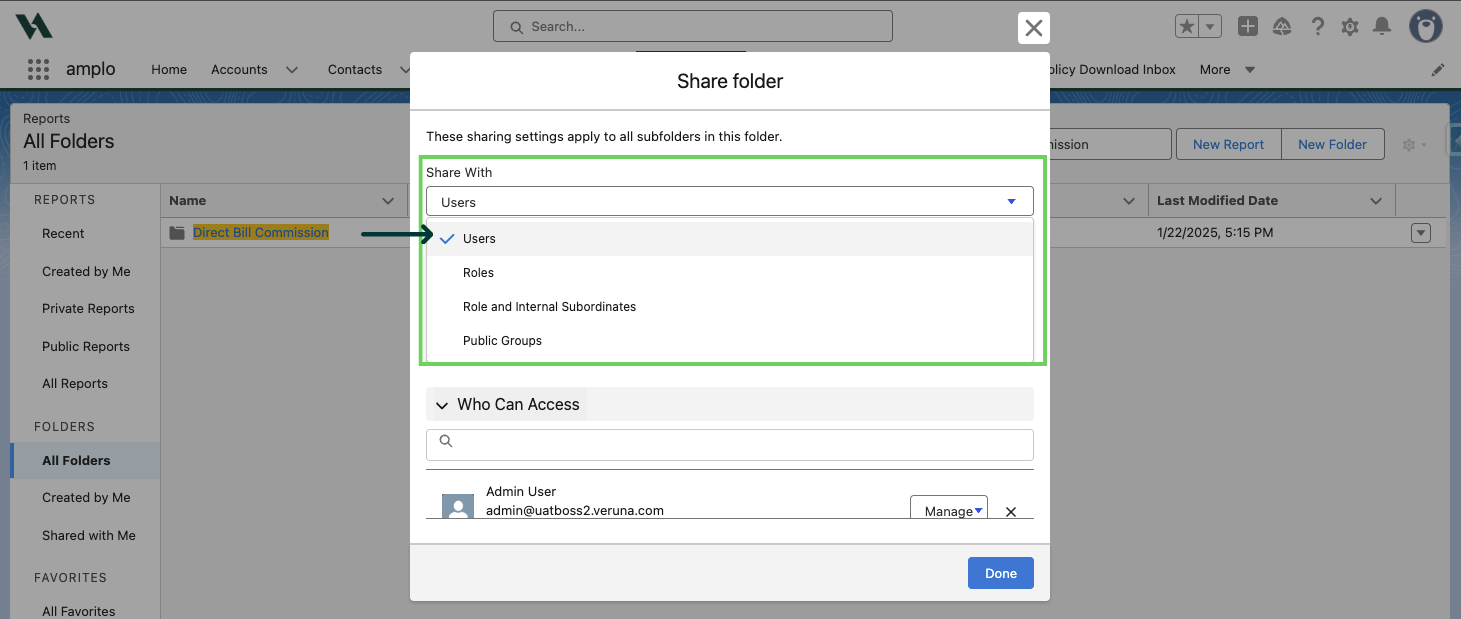
Add the relevant user name, role, or public group in the Names field.
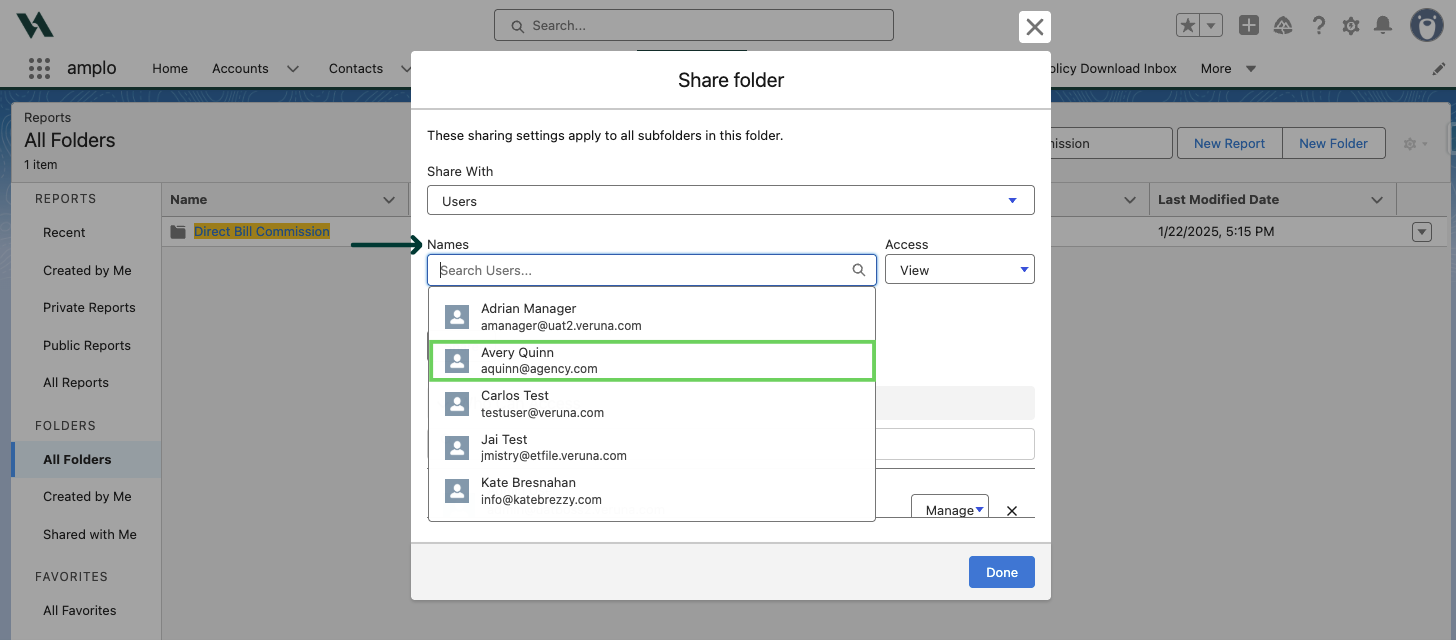
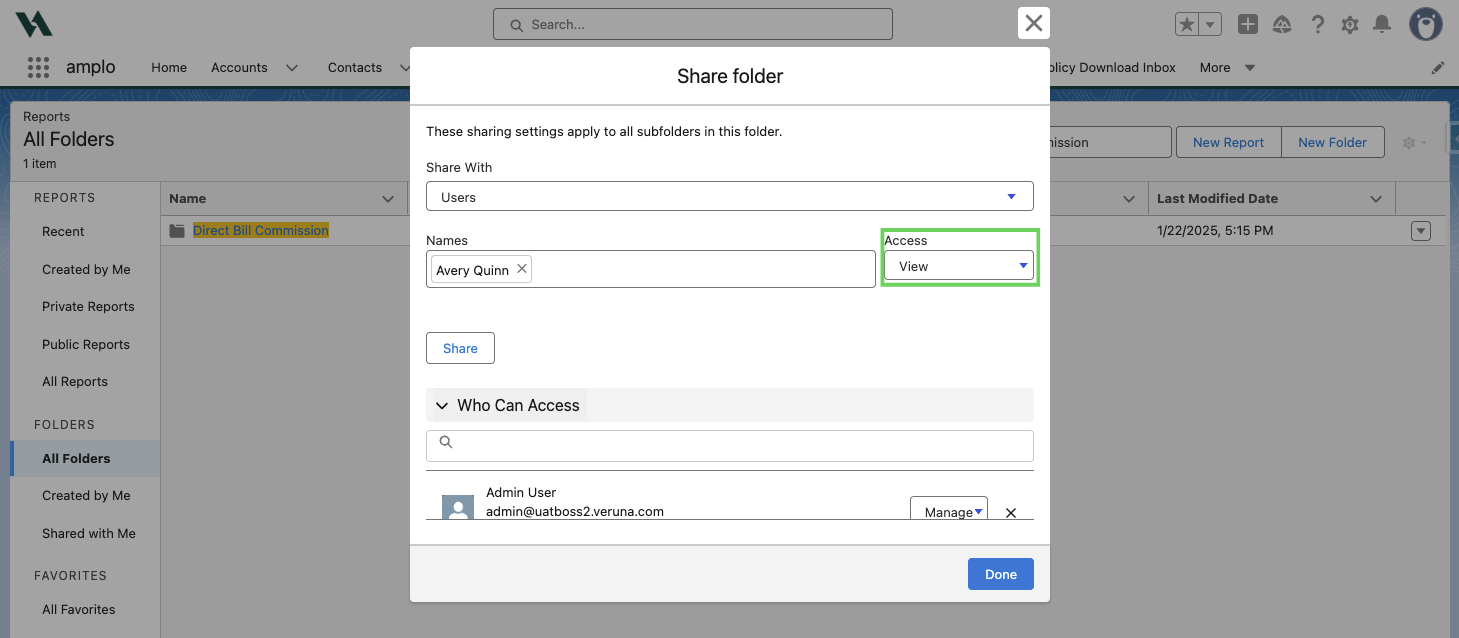
Select an access level:
Viewer: Read-only access. Users can run, view, and refresh reports in the folder, but can't save changes or edit them.
Editor: View and modify access. Users can view, create, and edit reports in the folder, and move reports in and out of it.
Manager: Full control. Users can do everything a Viewer and Editor can, plus share the folder and manage other users' access levels.
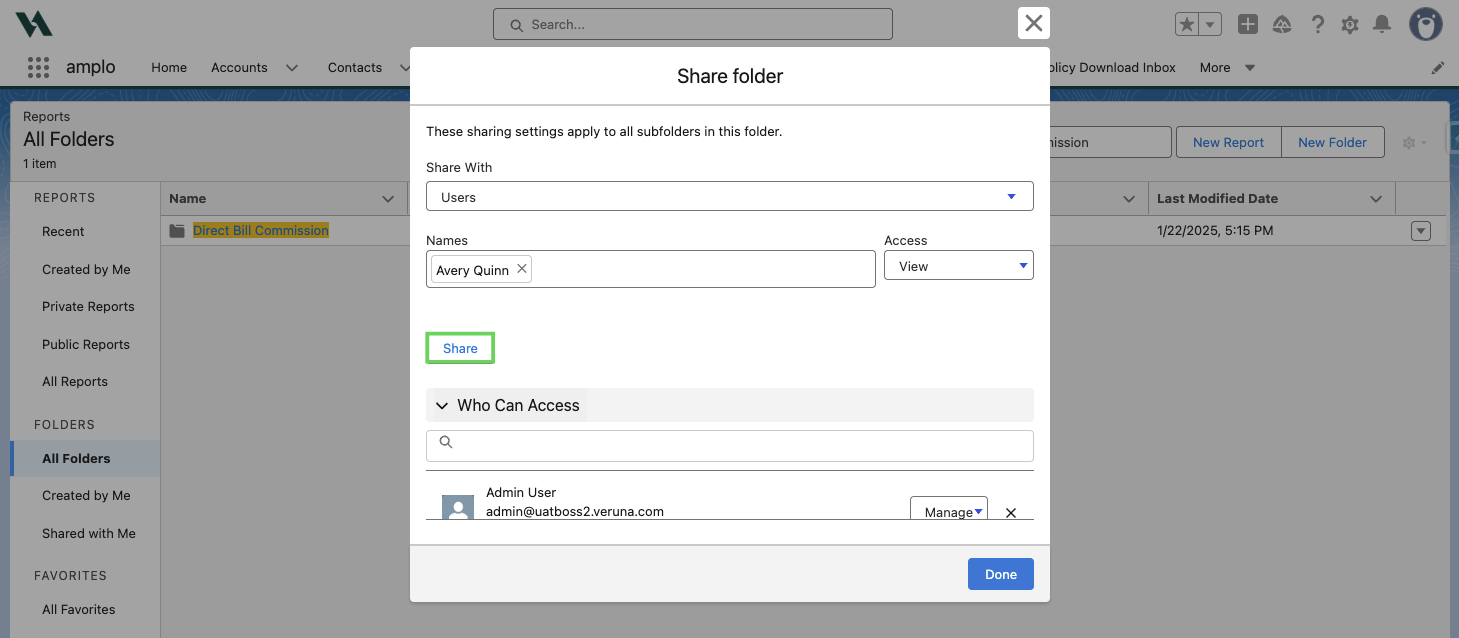
Select Share.
Select Done.
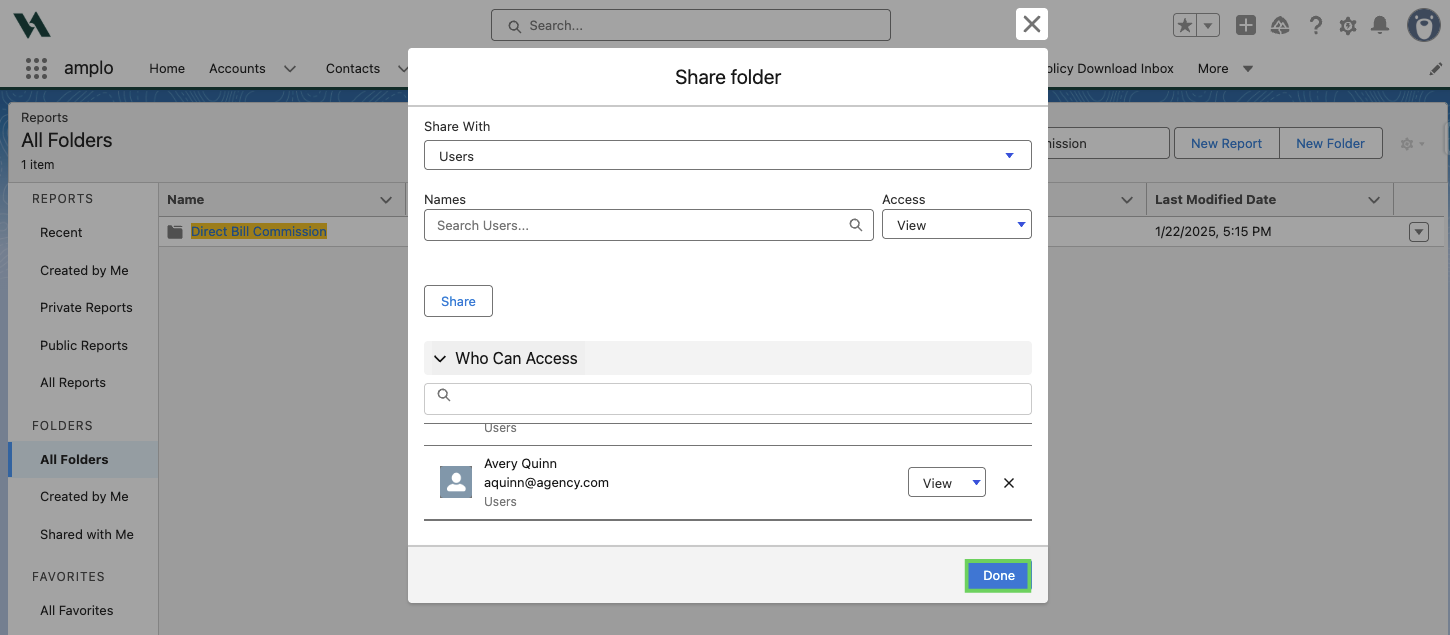
Once you share the folder, the user should be able to see their dashboard reports correctly.
If components on the dashboard still show "The source report isn't available", it might be saved in a different report folder. Repeat the steps above to grant access to the report folder.