Commission entry types
Last updated: March 4, 2026
Overview
In most cases, commission transactions are downloaded directly from insurance carriers and imported into amplo. These downloads automate the process of recording commission income and producer payables, reducing the need for manual entry.
However, there are situations where commissions must be entered manually. In amplo, commissions can be entered using two methods:
One-off: Best for small or individual transactions
Import: Best for bulk processing from carrier statements
This article explains when to use each method. For detailed, step-by-step instructions on allocating commissions manually, see 📄 Managing commission allocation.
One-off
A one-off commission entry involves manually entering individual commission transactions directly into amplo. Use manual entry when:
The carrier statement includes only a few policies.
The carrier does not provide an import file (CSV or Excel).
You need to quickly adjust or correct existing commission entries.
Pros ✅ | Cons ❌ |
Simple for low-volume carriers or one-off adjustments | Time-consuming for high-volume statements. |
Full visibility and control over each transaction. | Higher risk of human error if entries are not double-checked. |
Import
When carriers provide digital commission statements, a statement file (typically CSV or Excel) can be uploaded into amplo. The system attempts to match commission records to existing policies and transactions. This method is best for:
High-volume carriers with structured commission reports
Reducing manual data entry
Matching commissions to multiple policies at once
Pros ✅ | Cons ❌ |
Highly efficient for bulk processing. | Requires accurate policy data for matching. |
Reduces manual entry time and error rates. | Some records may require manual review or cleanup if they are unmatched or duplicated. |
Helps maintain consistency between carrier statements and agency records. |
Troubleshooting commission variance
For Direct Bill policies, discrepancies may occur between expected commissions and downloaded carrier commissions. To ensure accuracy, agencies should review commission variance reports regularly, typically on a monthly basis.
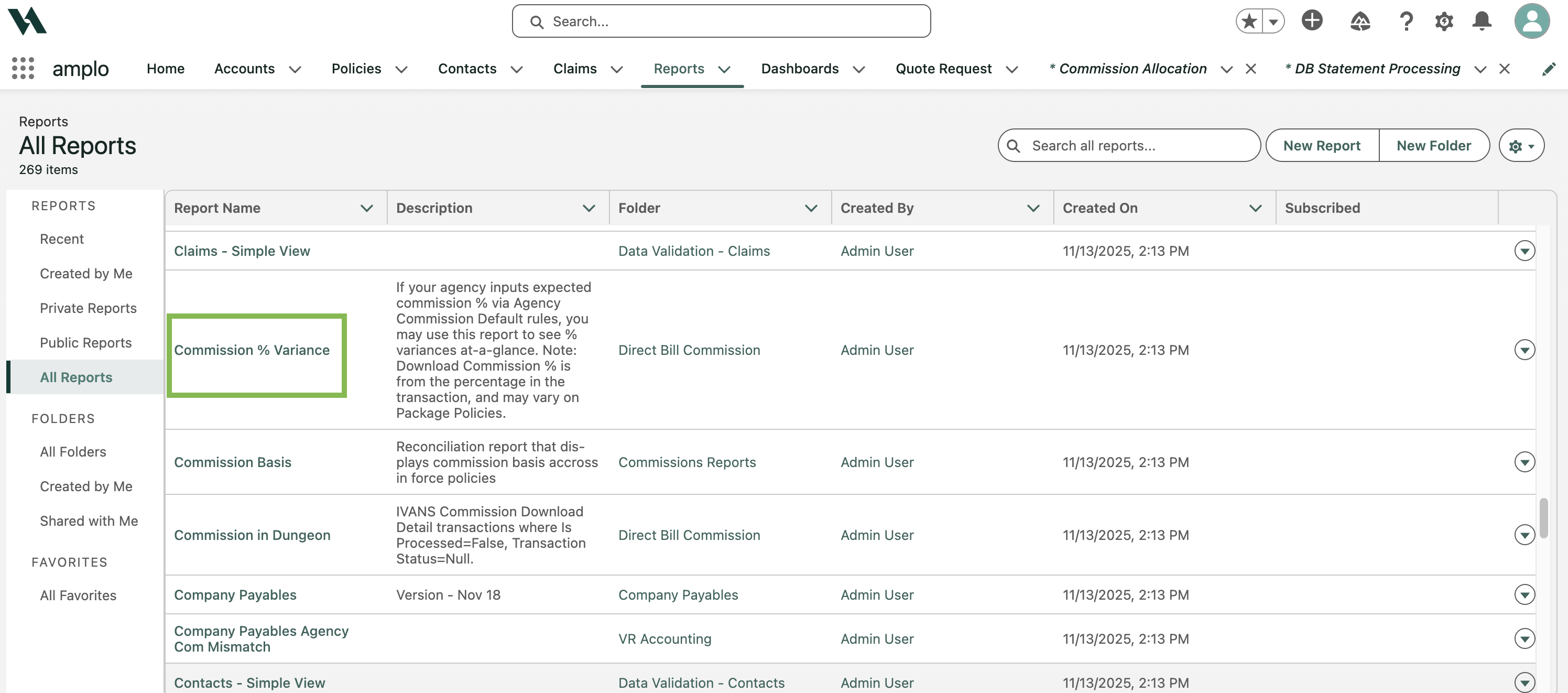
Navigate to the Reports tab.
Search and select the Commission % Variance report.
Compare the following columns:
Average Agency Commission Percent
Average Download Commission Percent

Review any differences and adjust commissions if necessary.