Understanding Agency Bill frequencies
Last updated: February 28, 2026
Agency Bill billing frequency determines how the insured pays and how the system generates invoices and payables. This article explains the differences between:
Annual (Basic)
Installment
Premium finance
Each option affects invoices, receivables, and payables differently.
Annual (Basic)
Use Annual billing when:
The insured pays the full premium at once
There is no installment plan
There is no premium financing
The policy is a standard agency-bill, pay-in-full policy
Creates | Does not create |
One invoice for the full premium (plus fees and taxes) | Installment schedule |
Accounts Receivable for the full amount | Premium finance structure |
Company Payable (carrier portion) | |
Producer Payable (if applicable) | |
Commission Income |
Installment
Use Installment billing when the insured pays the agency in multiple scheduled payments instead of one lump sum. You control:
Down payment amount
Number of installments
Frequency (monthly, quarterly, etc.)
Installment start date
Create installment billings
On a Policy record with Installment Frequency type, click Insert Billings.

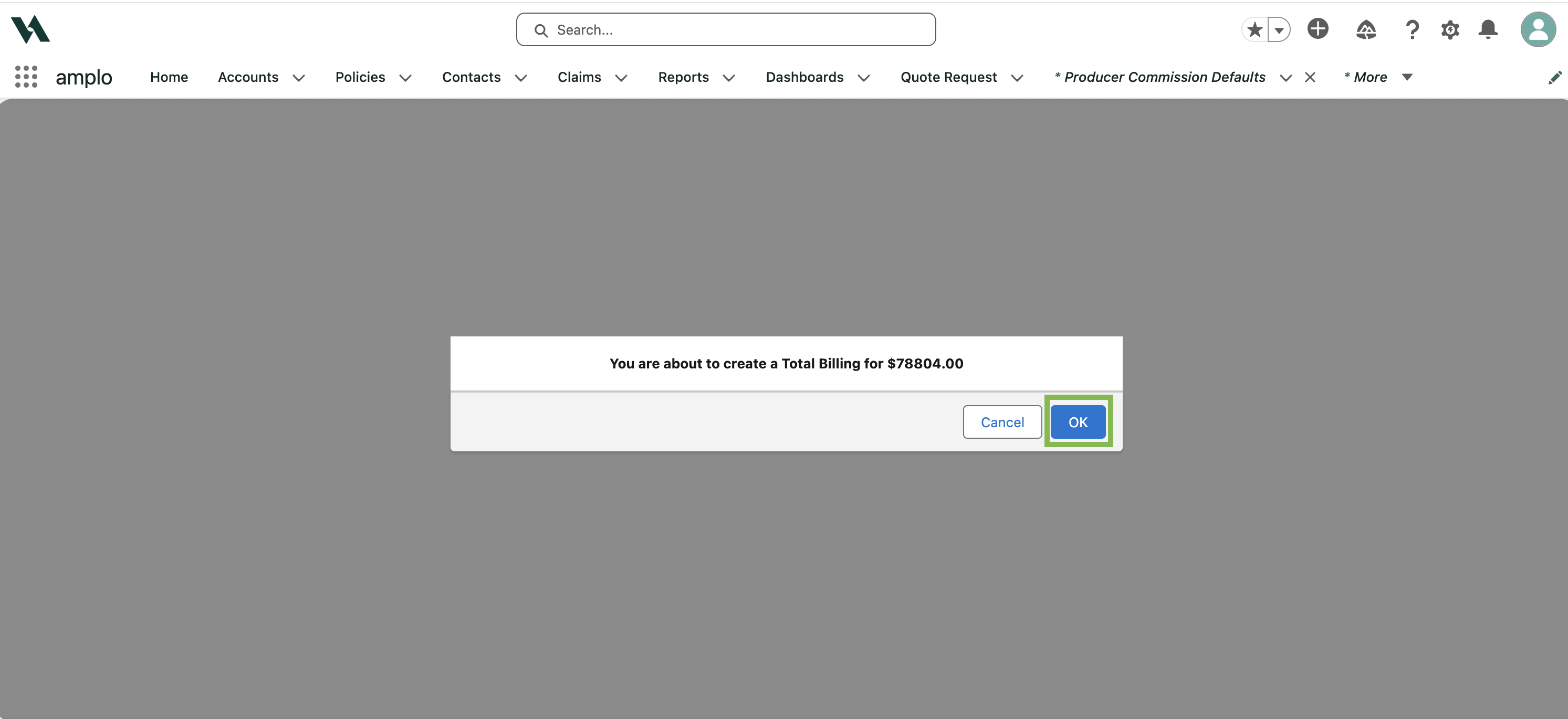
On the confirmation modal, click OK.
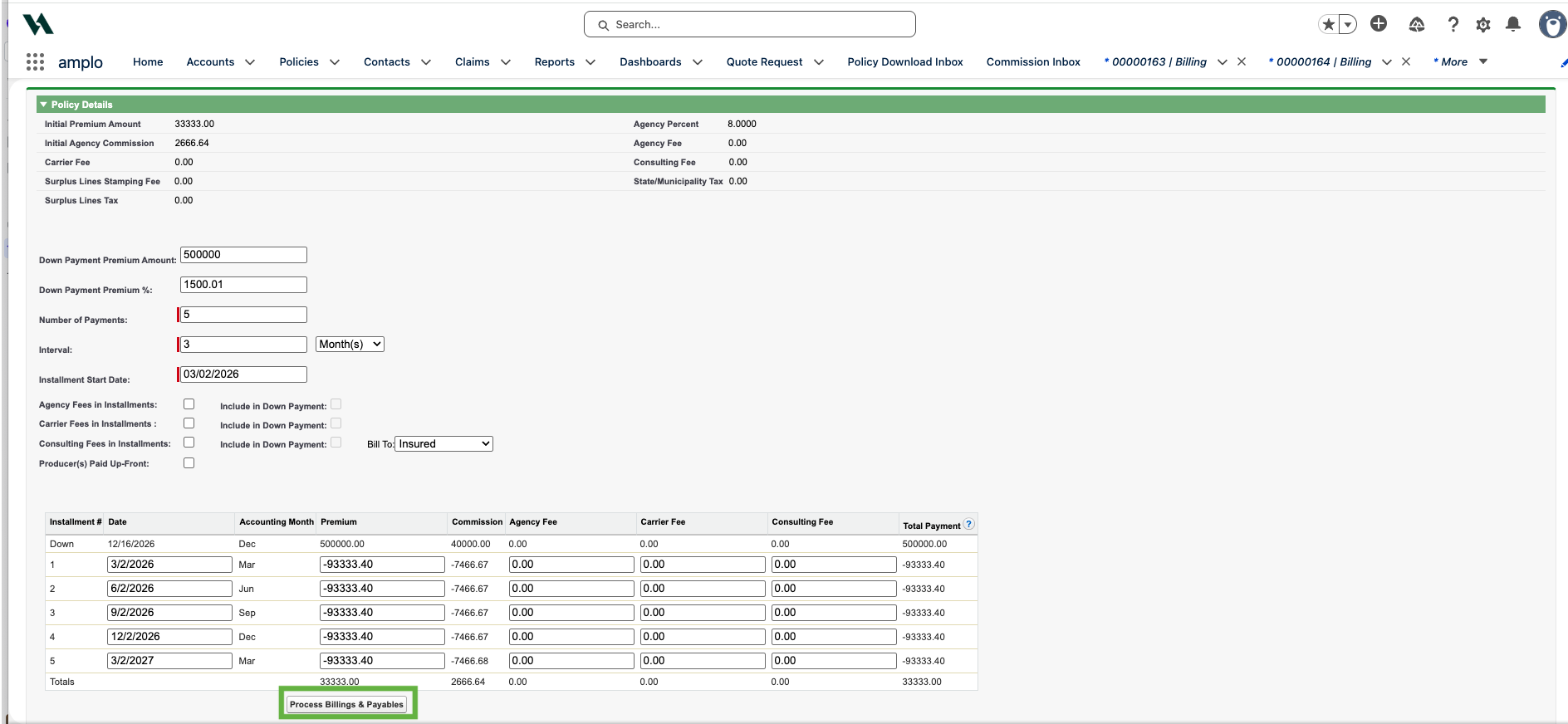
The Installment Billing window will display. Enter the installment information as required. Information will populate based on the inputs.
Click Process Billing & Payables.
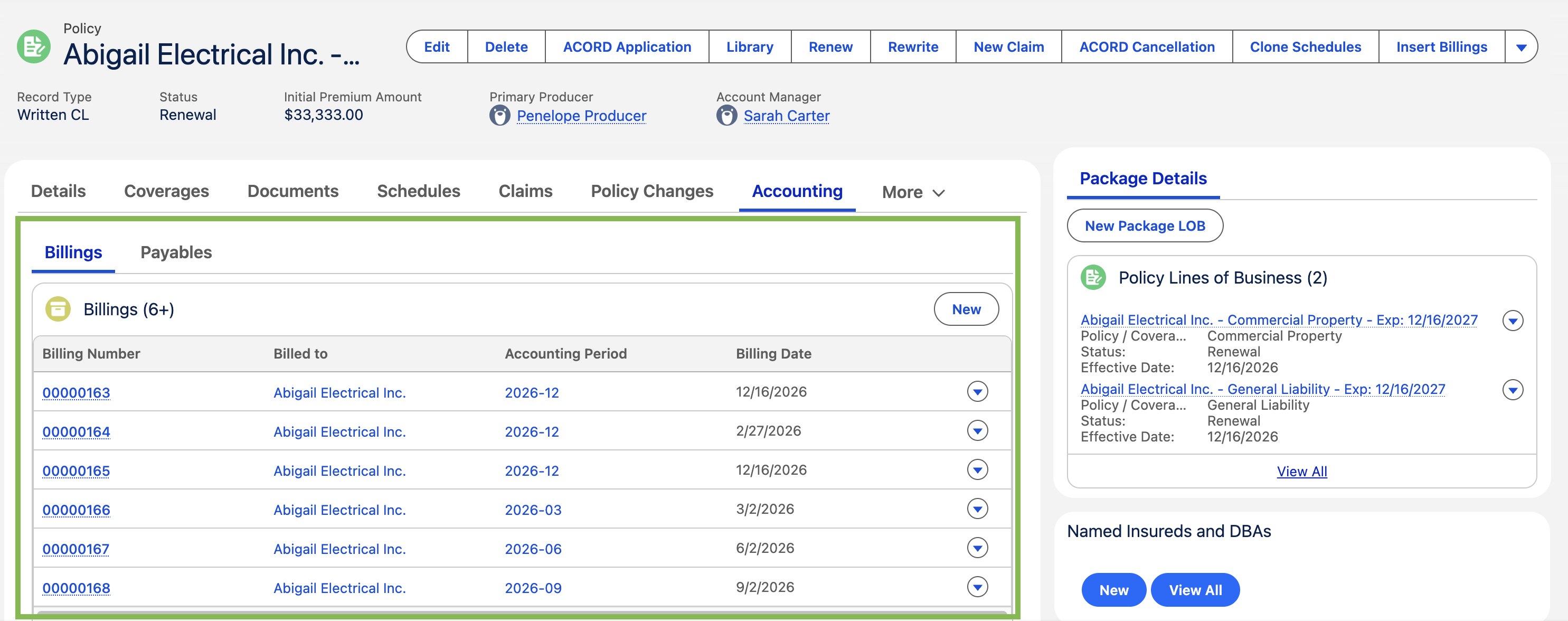
On the Accounting tab, you'll see the separate billings for each installment.
Note: Future installments are not printed automatically. Set up tasks to print invoices when they become due. For more information, see 📄 Manage activities and client interactions.
Premium Financed
Use Premium Financed when a finance company loans the insured the premium. The finance company pays either:
The agency, or
The billing company (carrier)
The insured then repays the finance company directly.
Create premium finance billing
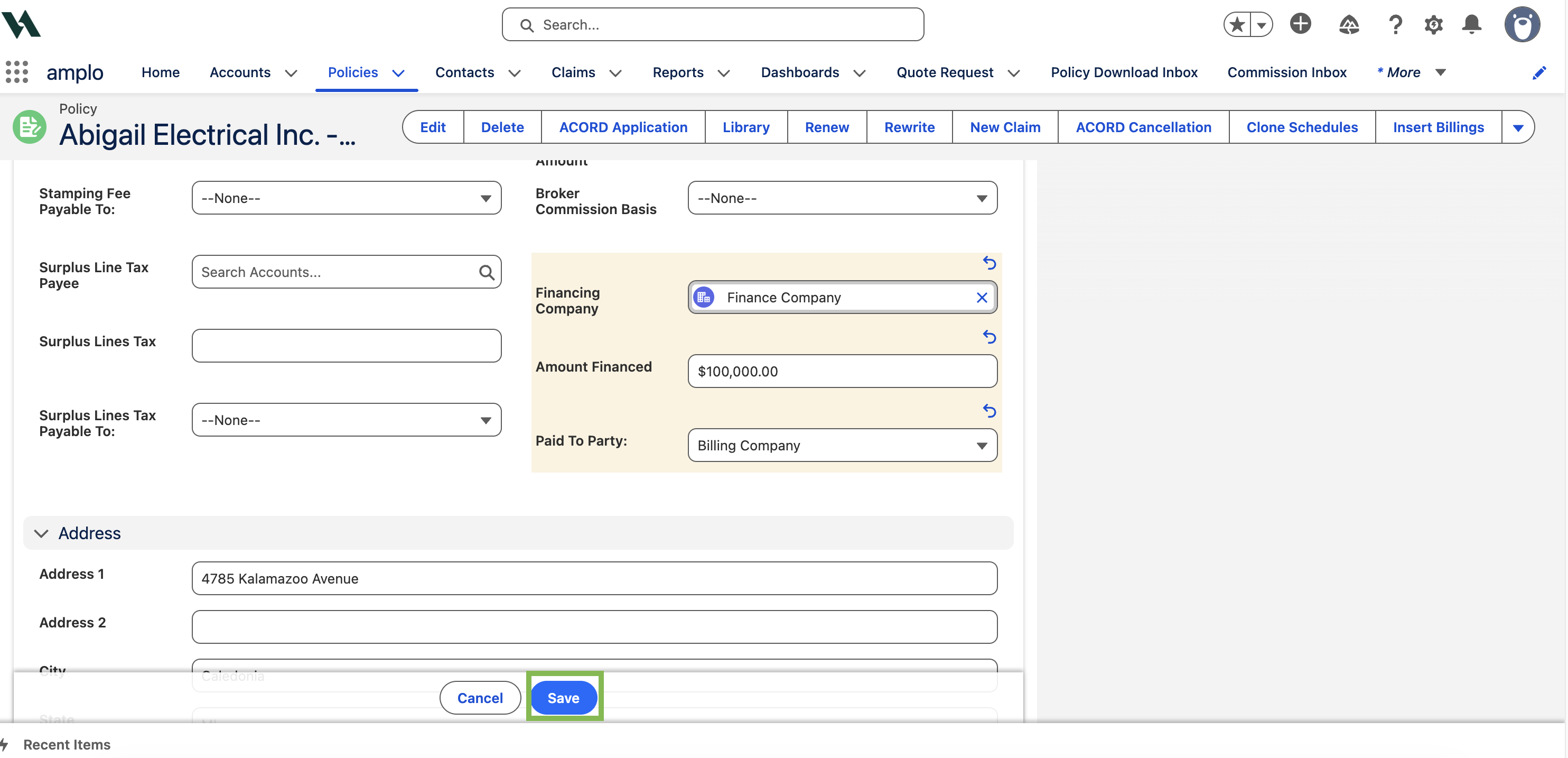
On a Policy record with Premium Financed Frequency type, add:
Financing Company: select the finance company.
Amount Financed: enter amount to finance for the policy.
Paid To Party: select who the finance company will pay (Agency or Billing Company)
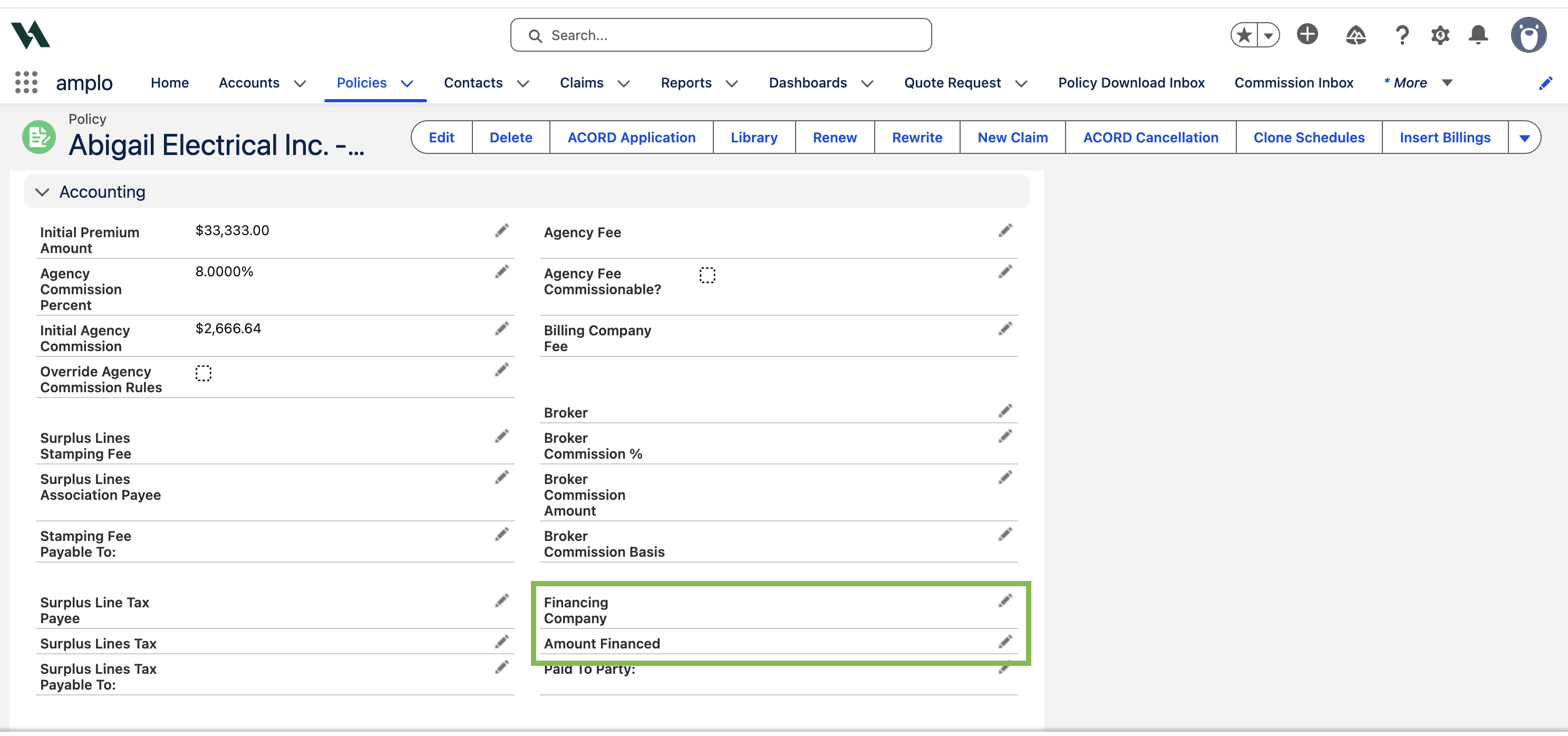
Click Save.
Click Insert Billings.
On the confirmation modal, click OK.
Paid to Party results
If Paid To Party = Agency:
The Billings link displays two invoices:
The deposit due from the insured
The amount due from the finance company
If Paid To Party = Billing Company:
The financed amount is deducted from the payable balance due to the billing company.
