Understanding Direct Bill frequencies
Last updated: March 2, 2026
Direct Bill billing frequency determines how the insured pays and how the system generates invoices, receivables, and payables. This article explains the differences between:
None
Transaction
Advance
Advance and Transactions
Each option affects accounting and reconciliation differently.
Billing Types
None
Select None when billing is entered through:
Download
Manual entry
Import
Note: If you select None and click Insert Billings, the system returns an error. For more information, see 📄 Direct Bill commissions.
Transaction
Select Transaction when you want to invoice and reconcile direct bill commissions at the policy level. When you use this billing type, the system:
Creates and posts agency commission revenue.
Creates producer and sub-producer payables.
Creates a company billing (receivable) for the commission amount.
After the carrier pays the commission:
Apply the payment directly to the billing.
Reconcile the transaction at the policy level.
This option tracks commission due from the carrier without creating a receivable for the full premium.
Direct Bill (DB) Advance
In a standard direct bill arrangement:
The carrier bills the insured directly.
The agency does not collect the premium.
In a DB Advance scenario:
The agency pays the carrier upfront, either in full or in part.
The insured reimburses the agency later.
Agencies typically use this option to ensure timely issuance or meet binding requirements when client payment is delayed.
Record a DB Advance
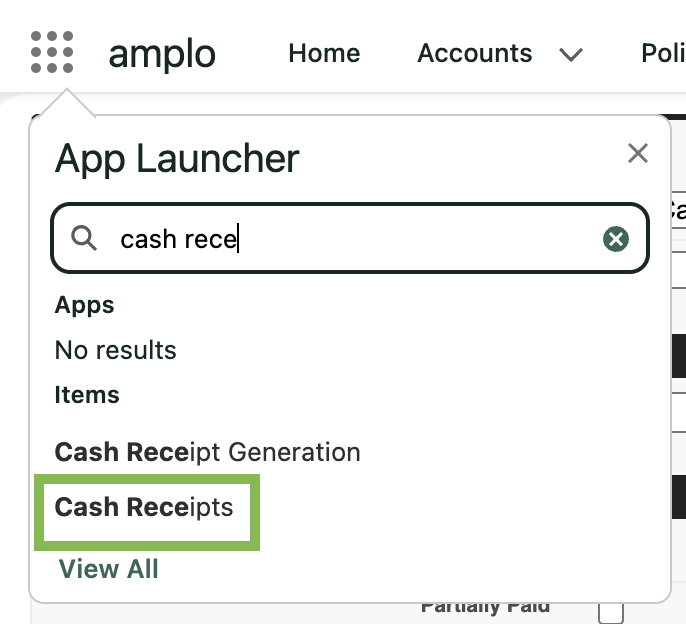
In the App Launcher, search and select Cash Receipts.
Click New.

In the New Cash Receipt modal, complete the following fields:
Received From: Select the Account sending in the payment.
Type: Customer Receipt
Amount: Enter the amount of the Direct Bill Advance.
Posting Status: Approved or In Process.
Receipt Date
Amount
Reference: check number or electronic transaction reference
Bank Account: Select the appropriate bank account
A Receivable from the insured is created, automatically applying the payment to the associated Billing.
A Payable to the carrier is generated, reflecting the funds the agency has fronted on behalf of the customer.
Pay the carrier
You can pay the carrier in one of two ways:
Selecting Pay on the individual Payable record, or
Using Batch Pay from the Payables List page.
Advance and Transactions
Select Advance and Transactions when you need to track both premium and commission activity. This billing type:
Creates a receivable from the insured for the total policy premium.
Creates a receivable for agency commission due from the billing company.
Creates producer and sub-producer payables.
Important: Do not use Direct Bill Commissions Statement Entry billing with this option.