Certificate signature verification
Last updated: March 25, 2026
Overview
When creating a certificate template, the signature field automatically populates with a default signature. This article explains how to set the default signature option for your agency.
Set the default certificate signature
Agencies can choose to use either a User or a Producer signature. A User signature displays the signature of the person generating the certificate, while a Producer signature uses the account’s Primary Producer. Follow the steps below to choose the default signature preference for your agency.
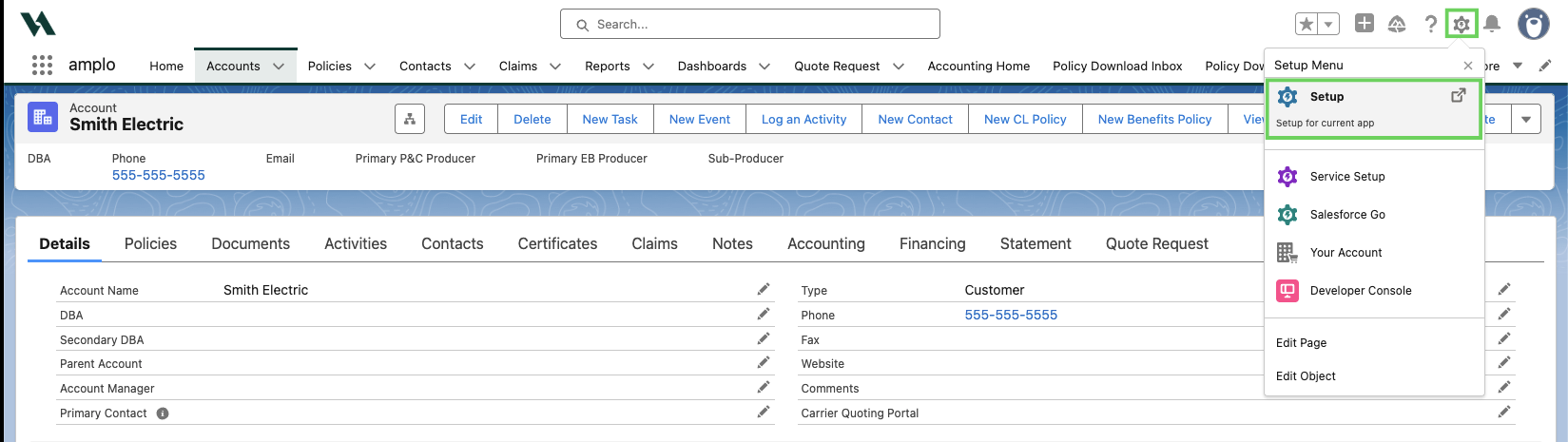
Click on the gear icon and click Setup.
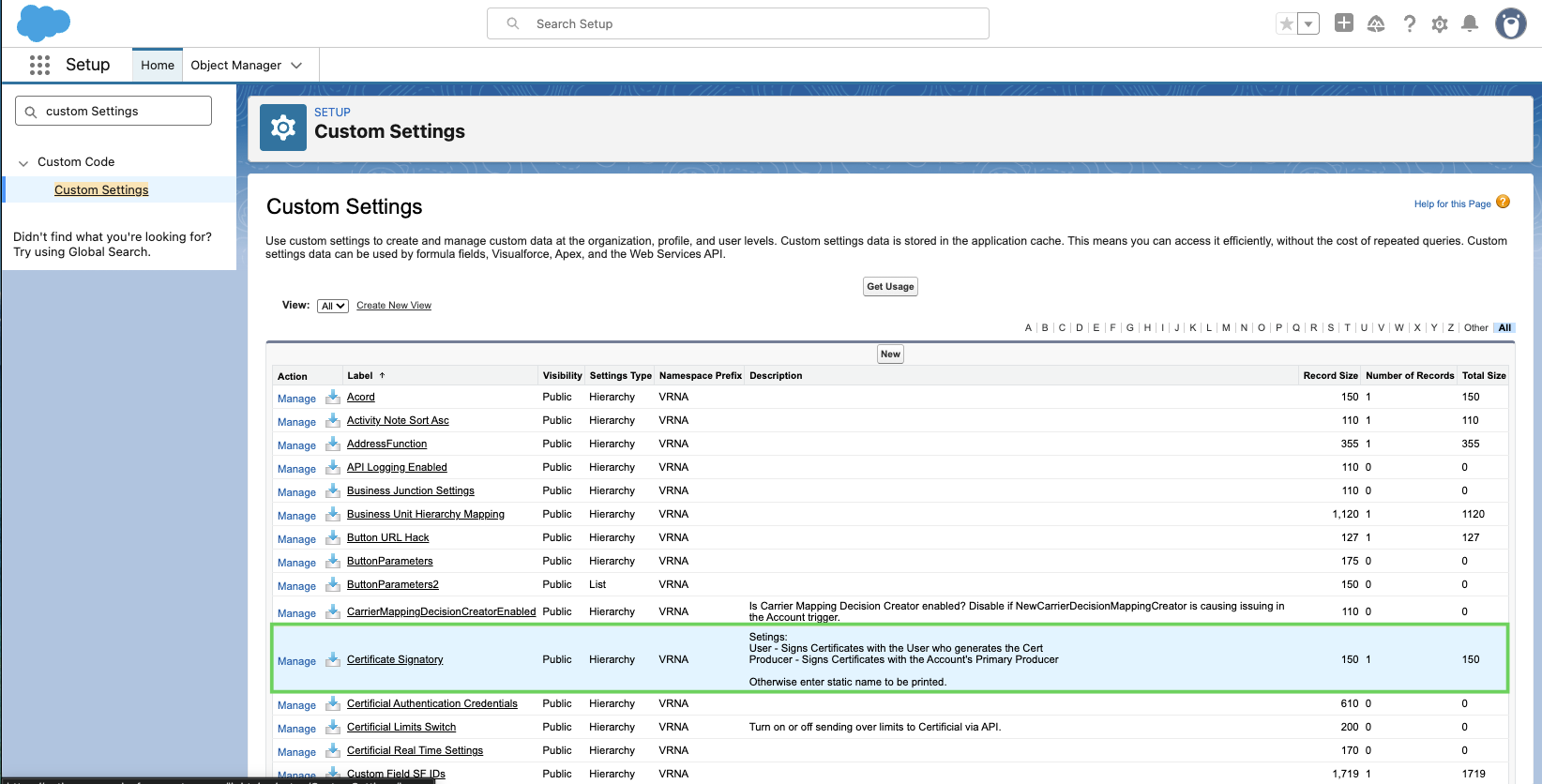
Use the Quick Find to search for Custom Settings.

Click Custom Settings.

Next to Certificate Signatory, click Manage.
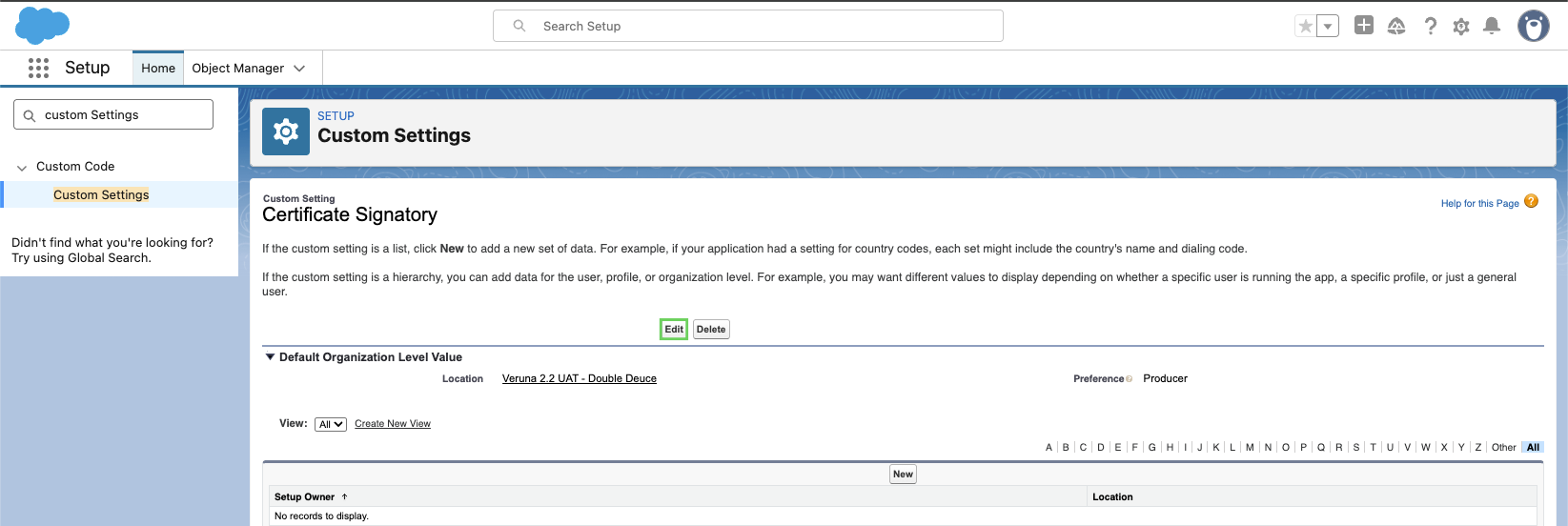
Click Edit.
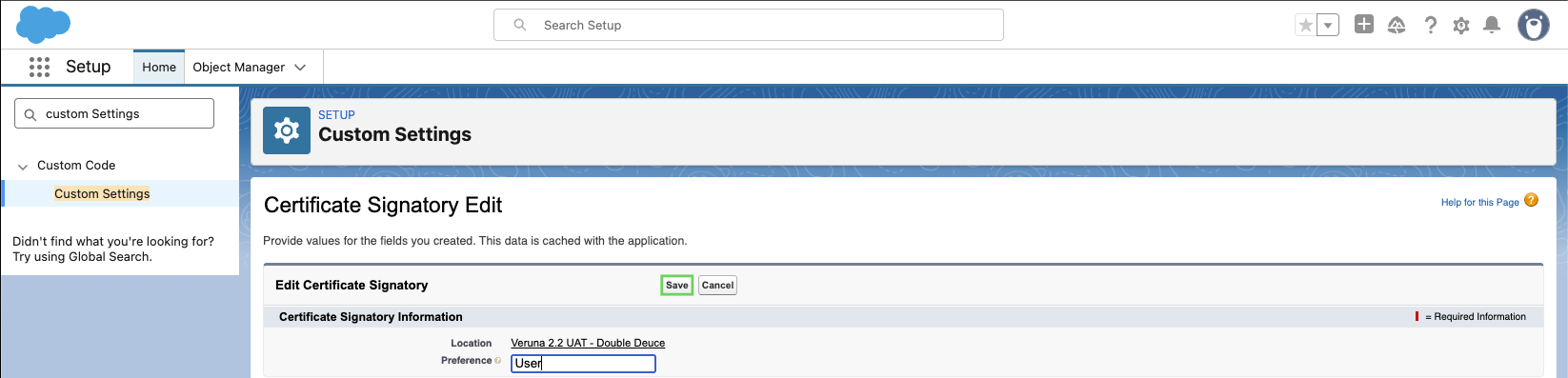
In the Preference field, enter your agency's preferred default signature.
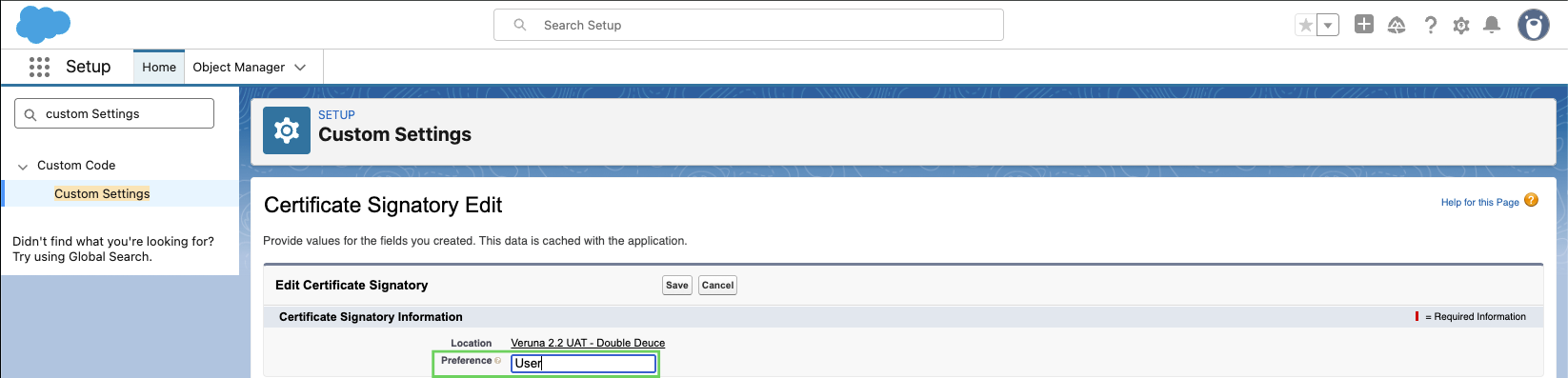
Note: The values User and Producer must be entered with the exact spelling and capitalization. Incorrect casing or spelling will result in an error.
Select Save.
For guided steps on creating a signature, see 📄 Managing signatures.