VerunaDocs Access Errors
Last updated: July 30, 2026
Overview
Users may experience being unable to access or load VerunaDocs, with errors including "This user doesn't exist" and "Object reference not set to an instance of an object." Resyncing users may restore partial access, but the issue can recur. If you're seeing these errors, the cause is typically a Salesforce platform disruption, an incorrect custom setting in VerunaDocs, or both. Use this article to identify the cause and resolve the issue.

Common Causes
Two factors contribute to this outage:
Salesforce platform disruption: A Salesforce service disruption can affect connectivity between Salesforce and VerunaDocs, preventing users from establishing a session.
Incorrect OFController Override URL: An incorrect value in the OFController Override URL field under VerunaDocs custom settings contributed to access errors for some users.
How to resolve
If a Salesforce outage is the cause, no action is required on the amplo side. The disruption is resolved by Salesforce directly. In the meantime, resyncing users in VerunaDocs can restore partial access as a short-term workaround.
If access issues persist after the Salesforce disruption has resolved, check the OFController Override URL in the VerunaDocs custom settings, as an incorrect value can continue to cause errors independently of the outage.
How to check the OFController Override URL
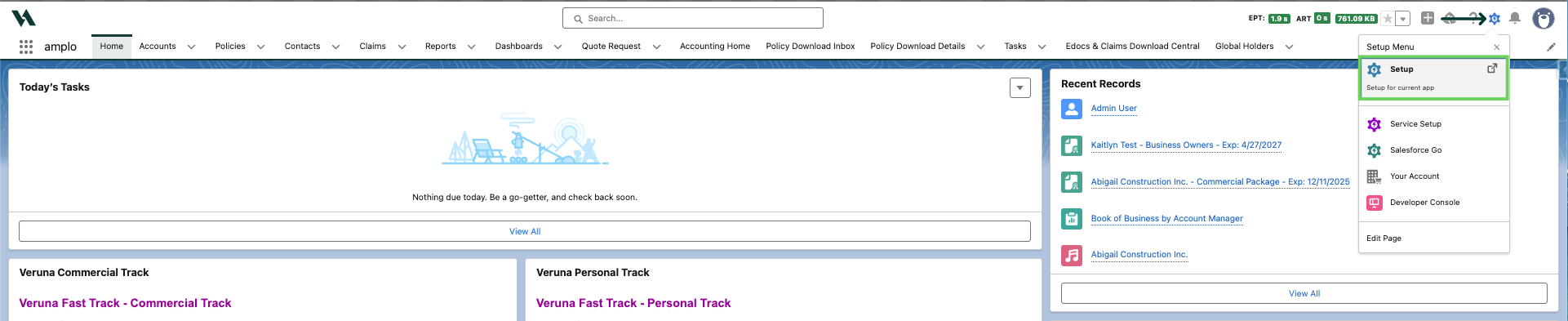
Click the gear icon to select Setup.
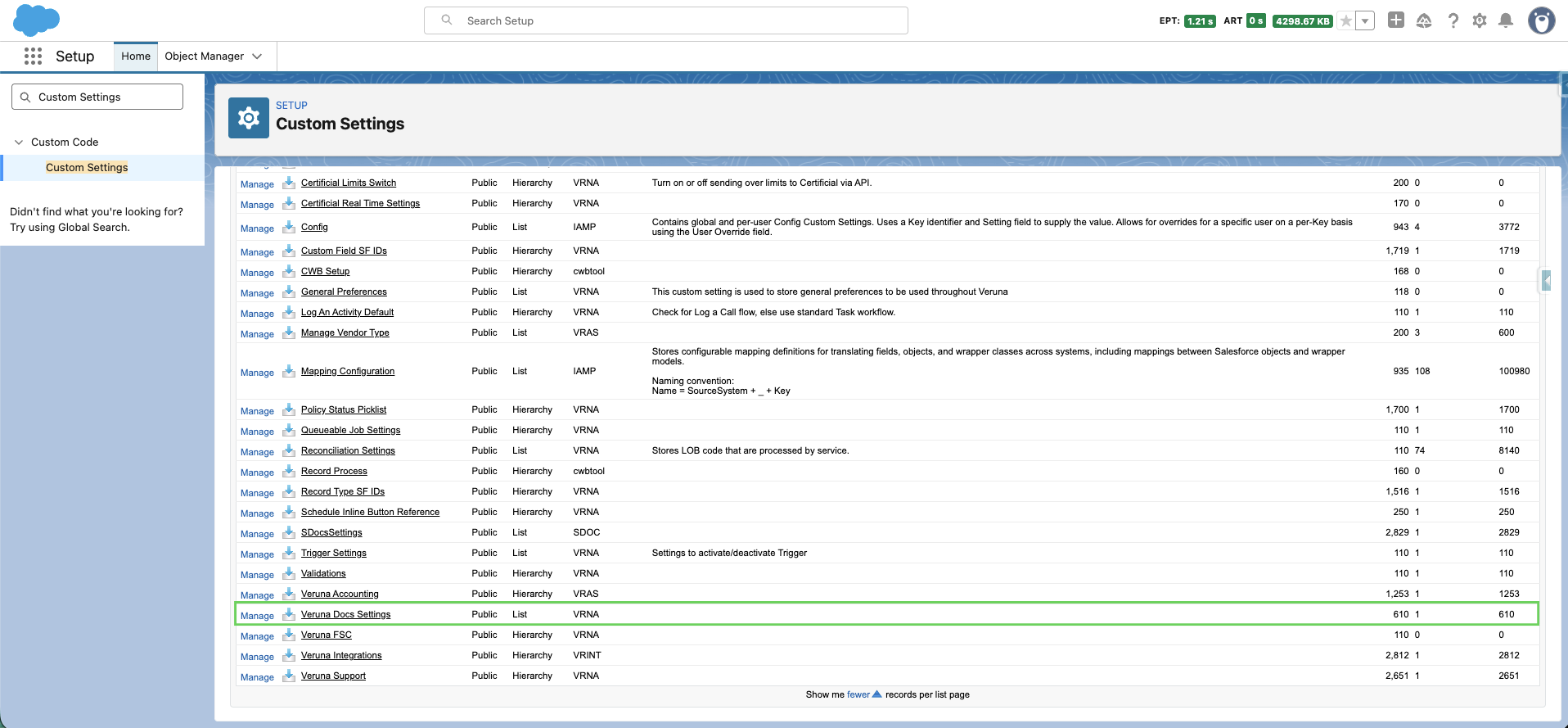
Use Quick Find to search and select Custom Settings.

Find Veruna Docs Setting and click Manage.
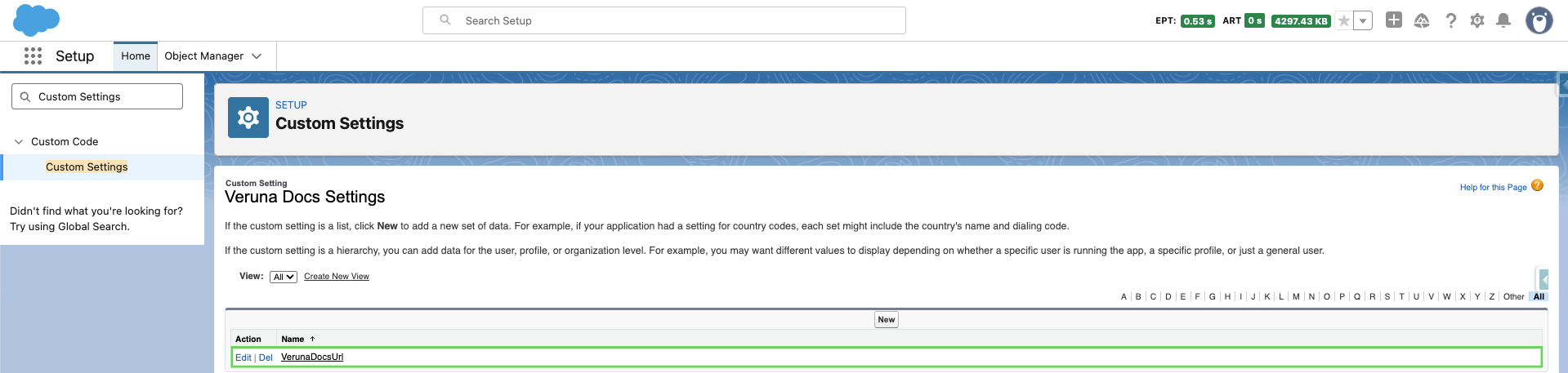
Select Edit next to VerunaDocsURL.
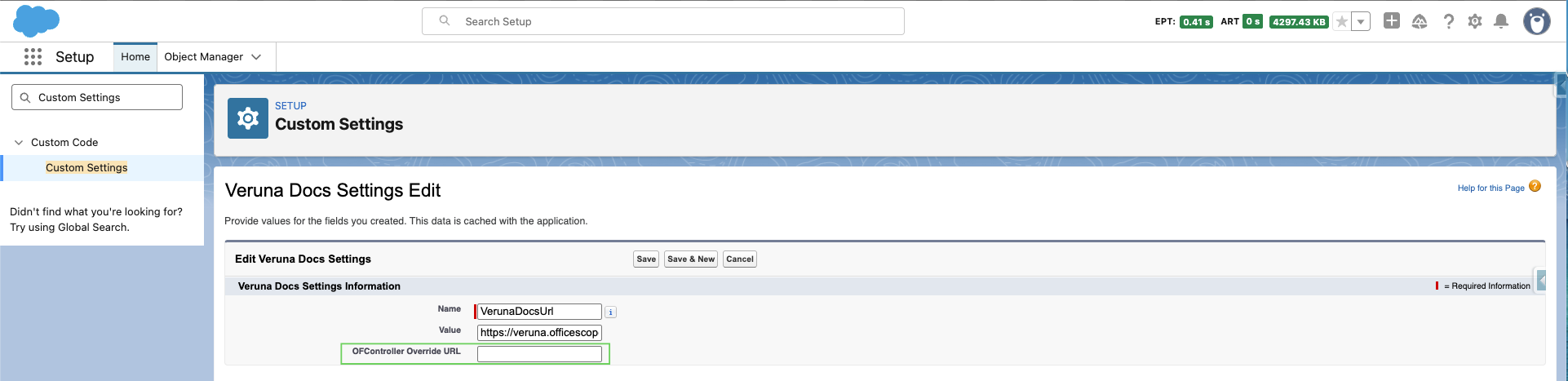
Review the OFController Override URL field and confirm it contains the correct value. Contact amplo Support if you're unsure what value should be entered.
For more information, see 📄 Resolving VerunaDocs errors .
Salesforce Outages
To monitor active Salesforce incidents and subscribe to updates for your org's instance, visit status.salesforce.com.