Upgrading AccountingSeed packages
Last updated: April 6, 2026
While amplo Support is always available to assist with upgrading to the latest AccountingSeed version, agencies may choose to complete upgrades on their own. Each release includes installation links and configuration steps that must be followed to ensure your system continues to operate correctly.
If you prefer Support to perform the upgrade, schedule time on the upgrade calendar.
Locating your version number
From Setup, type search and select Installed Packages in the Quick Find box.
Go to Installed Packages, then locate Accounting Seed Financial Suite in the list. The package’s current version number will appear in the Version Number column next to its name.

Note: For the most recent current releases available for each package, refer to Performing org upgrades.
Installation links
Install the package link for the latest AccountingSeed version. To ensure you are using the most recent Generally Available (GA) release, refer to the Product Installation Links article and use the corresponding installation URL.
Note: We do not recommend installing versions in "preview" state. If you see -Preview listed after a version name, install the previous version.
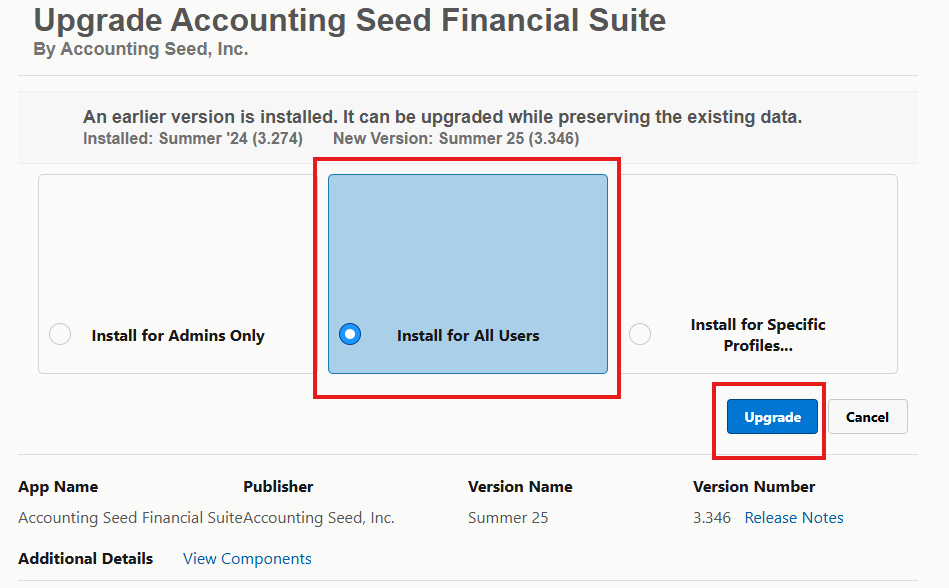
After clicking the install link, select Install for All Users.
Click Upgrade.
Release information
You can find detailed feature updates, release notes, and scheduled timelines for each AccountingSeed version on the Releases page. This page is the authoritative source for understanding what’s included in each update and when new features become available.
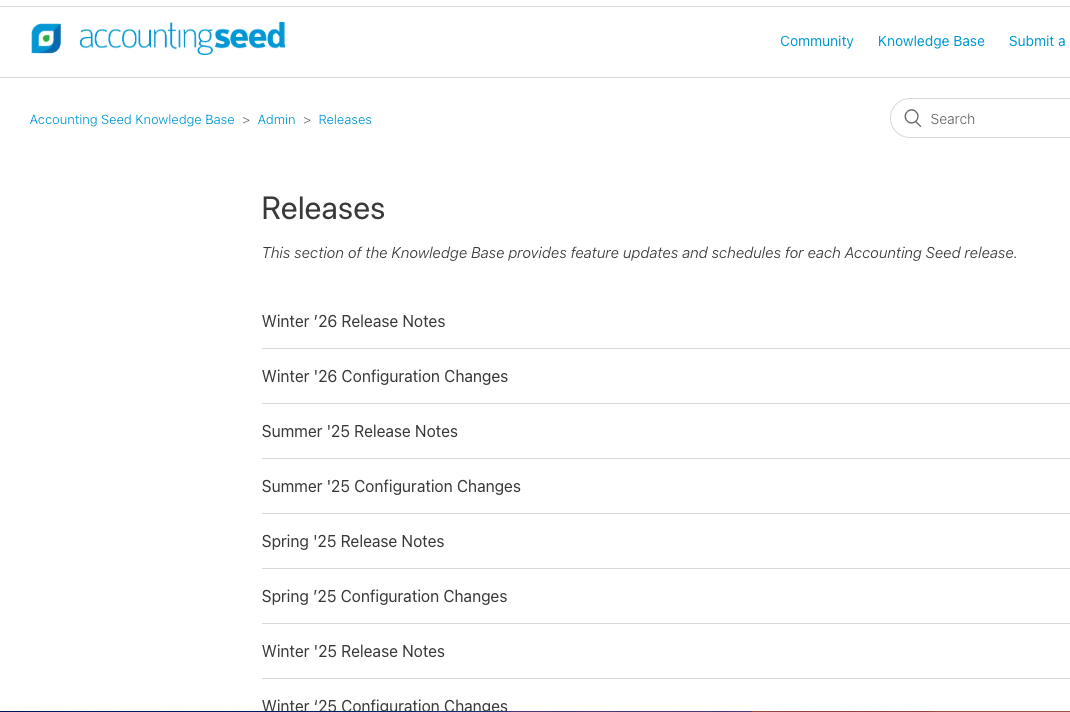
Release notes outline what’s included in each AccountingSeed update, including new features, enhancements, and software fixes. They also provide links to supporting knowledge base articles for self-serve training, feature overviews, and user enablement. These pages help you understand the value of the upgrade and what changes your team can take advantage of.
Configuration change pages provide the step-by-step admin actions required to activate or update functionality introduced in a new release. These instructions ensure that your org is correctly configured to use the new features—similar to amplo’s upgrade actions—and are essential for a complete and successful upgrade.
Note: Review the release notes and configuration changes for all versions included in the upgrade path. For example, if upgrading from Summer ‘24 to Summer ‘25, you must perform the configuration changes for Winter ‘25, Spring ‘25, and Summer '25.
Considerations
Not all configuration updates will be required for every org. Use the guidance below to determine which configuration steps are applicable to your org and which can be safely skipped.
Multi-currency
If you do not have a multi-currency environments, you don't need to perform configuration changes related to multi-currency updates.
AR/AP Automation
If your organization uses Accounting Seed’s AR/AP Automation features—such as automated payment processing through Stripe or CardKnox—then the related configuration updates may apply. You may skip these configuration steps if any of the following are true:
You do not use Accounting Seed’s AR/AP automation at all.
You use ePay, Ascend, or another third-party payment solution.
Note: If you are unsure what configuration changes are relevant, you may safely complete all configuration steps as they will not negatively affect your current functionality.