ACORD 130 error: missing state code
Last updated: July 24, 2026
Overview
If you see the following error when generating or opening the Workers Compensation ACORD 130, the Workers Compensation Rating Schedule is likely missing required information:
AForm Controller: Error! Value cannot be null. Parameter name: documentBinary.

This article explains what causes the error and how to resolve it.
Resolving the Error
The error occurs because the State field is missing from the Workers Compensation Rating Schedule on the Premise schedule. Adding the missing state code resolves the issue.
From the policy record, select the Schedules tab.

Open the Premises tab, click the checkbox next to the schedule, and click the eye icon to view the record.

In the Premises Information section, open the Workers Compensation Rating Schedule tab. Make sure the State column is populated with the appropriate state code for each entry.
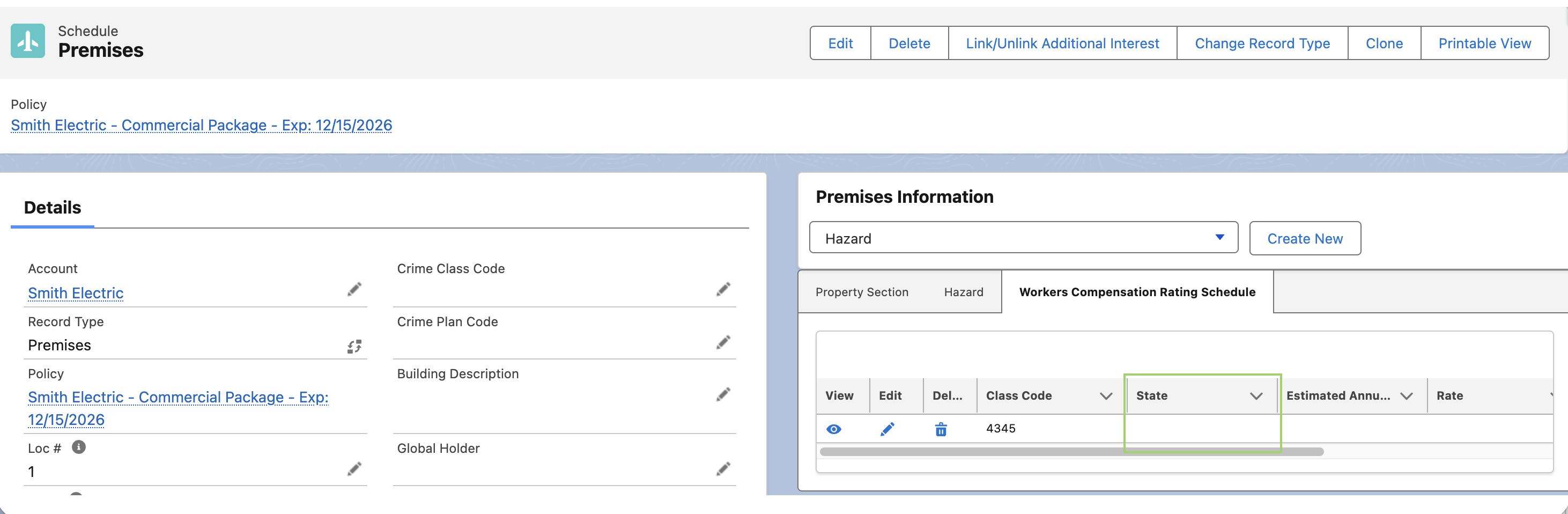
If this field is blank, click the pencil icon to edit the record, and add the State.
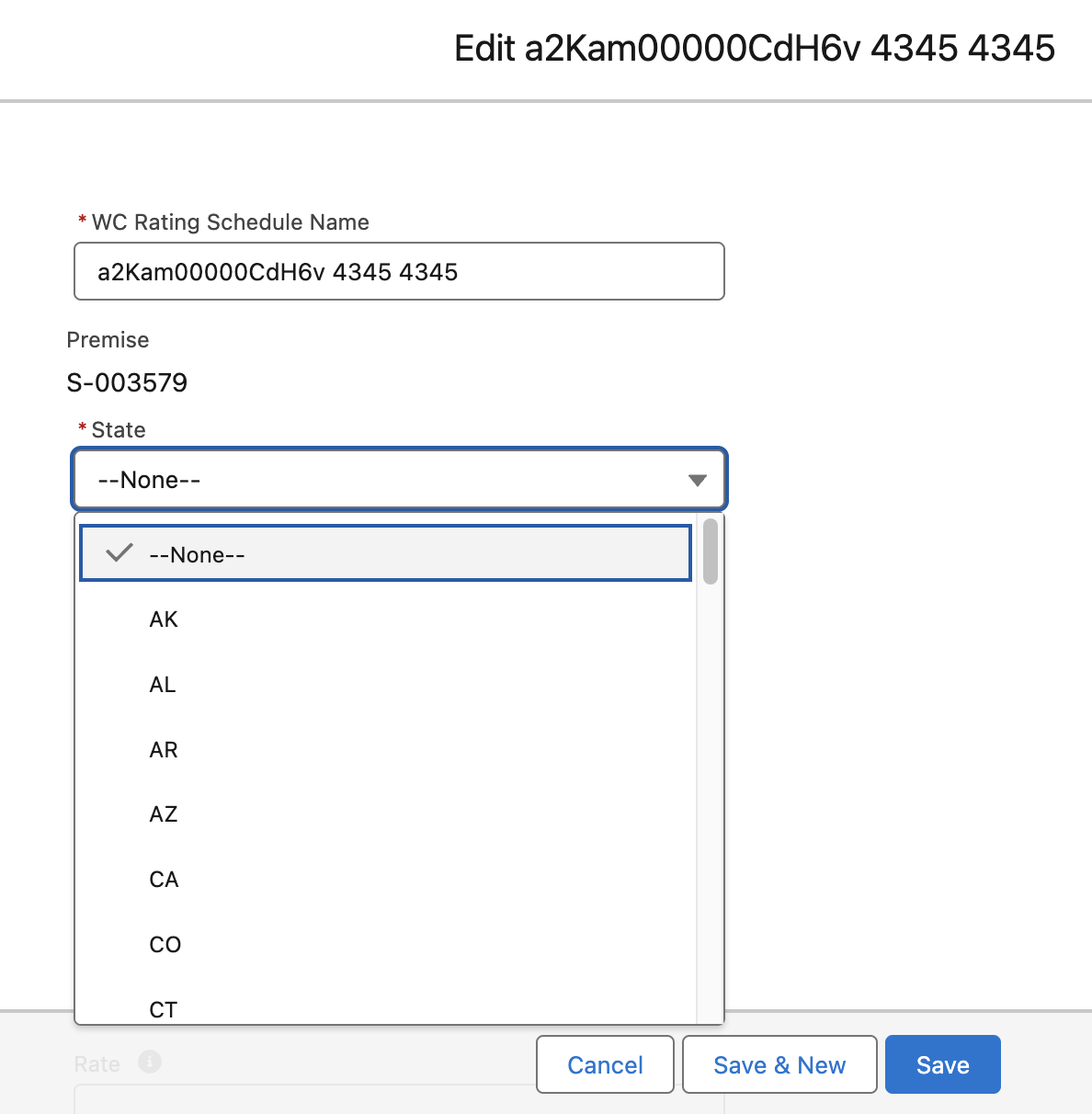
Save your changes and try generating the 130 form again.
If the issues persist, please confirm all Workers Compensation Rating Schedules on every Premise record has a state code.
Once confirmed, reach out to amplo Support for further assistance if the error is still present.