Error when changing account record type
Last updated: February 4, 2026
Overview
When changing an account's record type in amplo, you may encounter the following error:
VRAS.AccountPaymentPreference: execution of BeforeUpdate caused by: System.NullPointerException: Attempt to de-reference a null object (VRAS)

This error occurs if the Account Record Type and Type field values are mismatched. This article explains how this mismatch can occur and how to avoid it.
Process
To successfully change an Account Record Type, you must ensure both the Record Type and Type field are updated to aligned values.
Navigate to the account record you want to modify.
Scroll to the System Information section.
Click the change icon next to Account Record Type.
Select the new record type from the popup (e.g., "Business Account - Customer").

In the next screen, locate the Type field, and adjust to a value that aligns with the new Account Record Type (e.g. Prospect/Suspect Account Record Types should not have a Type of Customer and vice versa).
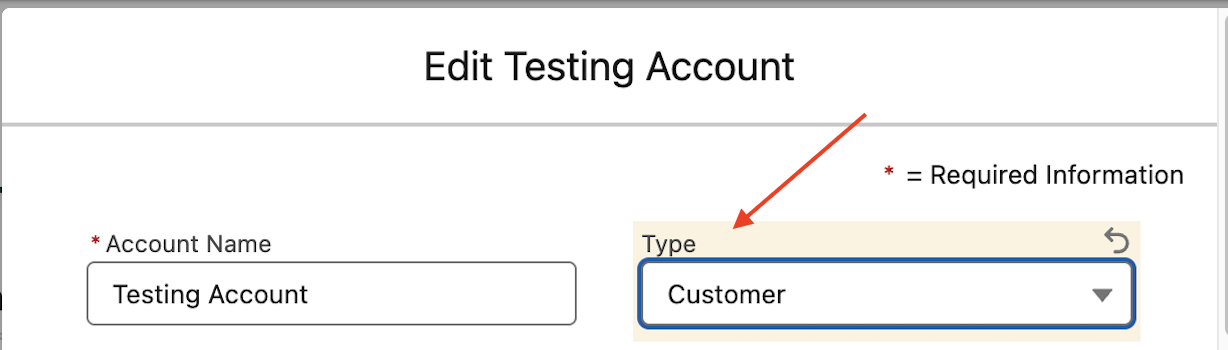
Save the changes.
This mismatch can occur whether you're updating accounts in bulk via imports or integrations, or when updating a single account directly in amplo.
Troubleshooting
If you receive this error when changing the Account Record Type, verify that the Type field value matches the Record Type you selected. For example:
If changing to Customer record type, ensure the Type field is set to Customer or Former Customer.
If changing to Suspect/Prospect record type, ensure the Type field is set to Suspect or Prospect.
System automations exist that change an account’s Record Type based on policy criteria (for example, an in-force policy switching it to Customer).
If an import sets a conflicting Record Type, the import will fail. Verify your import values match the account’s current Type and any automations before running.