Forms List
Last updated: March 2, 2026
Overview
The Forms List displays all in-progress forms for an account, so you can quickly see what you’re currently working on.You can sort policy-based and account-based ACORD forms by:
Name
Date Created
Last Modified
When you complete a form, amplo automatically removes it from the in-progress list and saves it as a read-only PDF in the Documents tab. This keeps your workspace organized while ensuring every finalized form is securely stored as part of the account record.
Note: The Forms Library can be accessed in multiple ways, depending on your workflow. For a full list of access points, see the 📄 Forms Library .
Access the Forms List
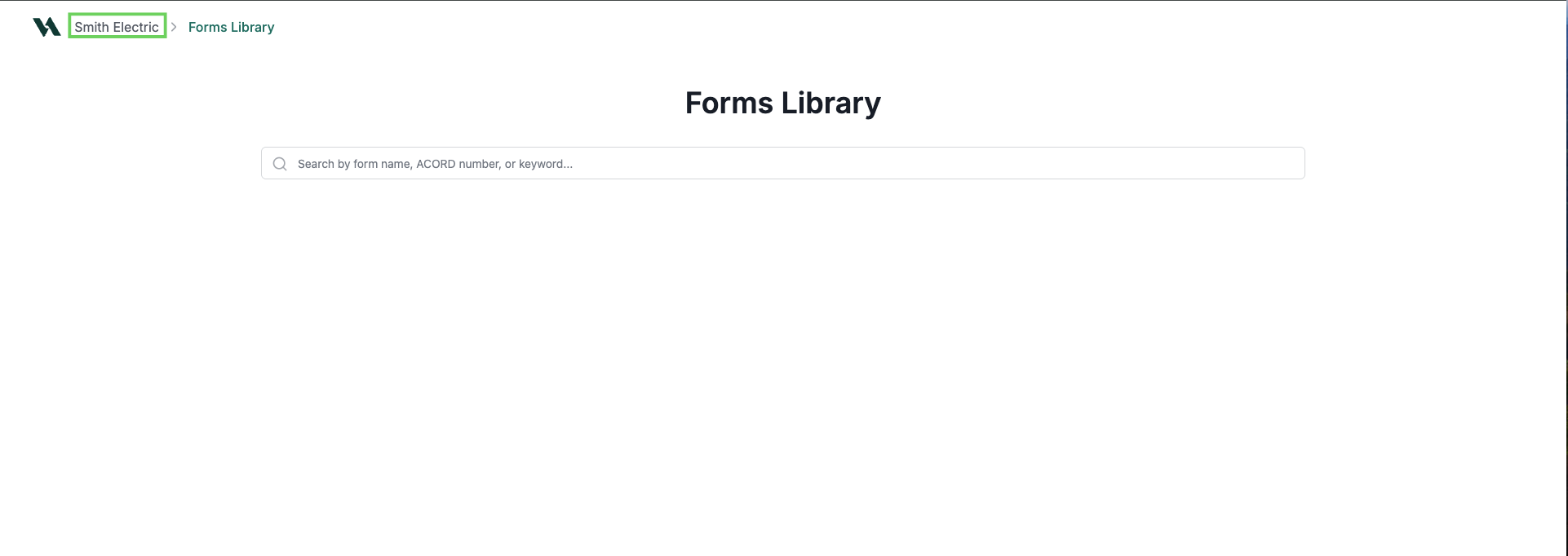
In the top-left area of the Forms Library, click the account name breadcrumb.
Review the list of in progress forms.
To start a new form, click New Form.
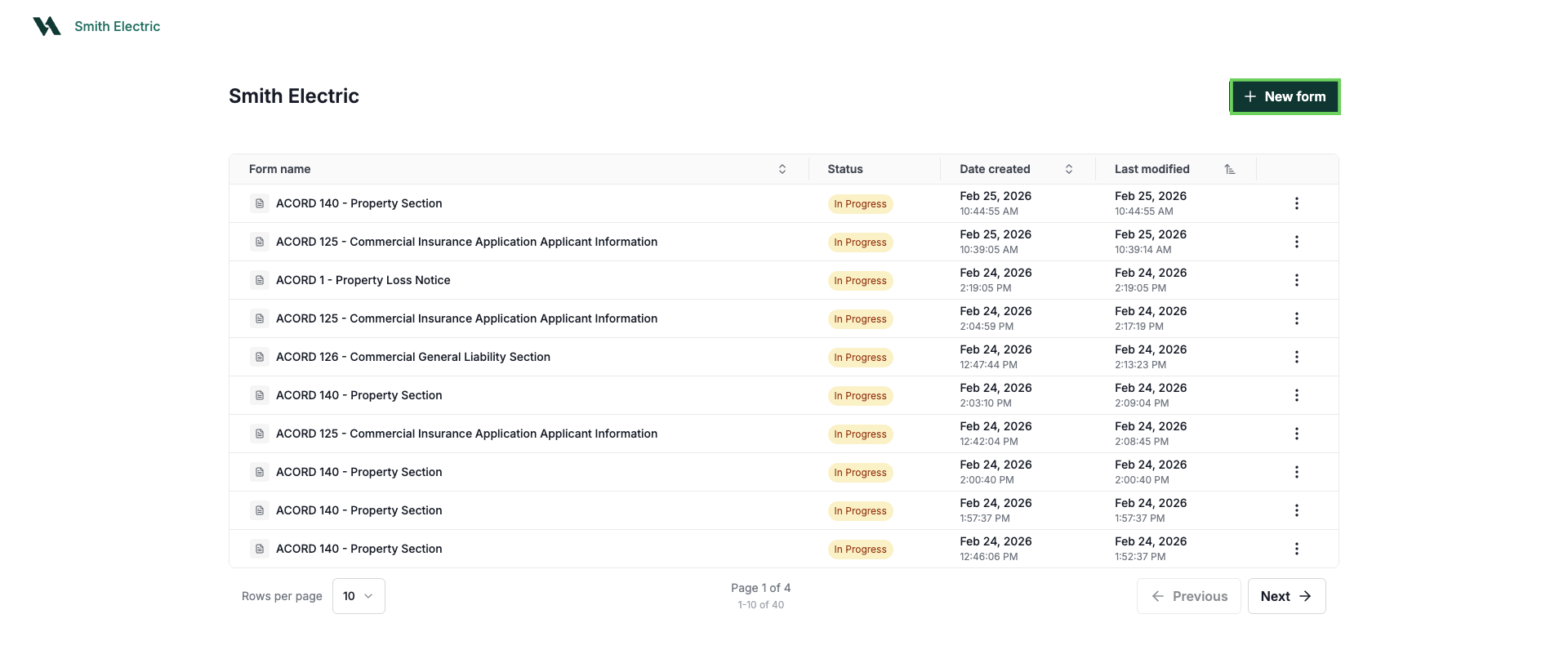
To edit an existing form, select the form name you want to edit. This will open the Forms Editor.

To sort the list of forms, click into the columns for:
Form Name
Date created
Last modified

For step-by-step instructions on how to edit forms, 📄 Forms Editor
Delete a form
If you created a form by mistake or no longer need it, you can delete it from the Forms List.
Click the three-dot menu on the right side of the form.
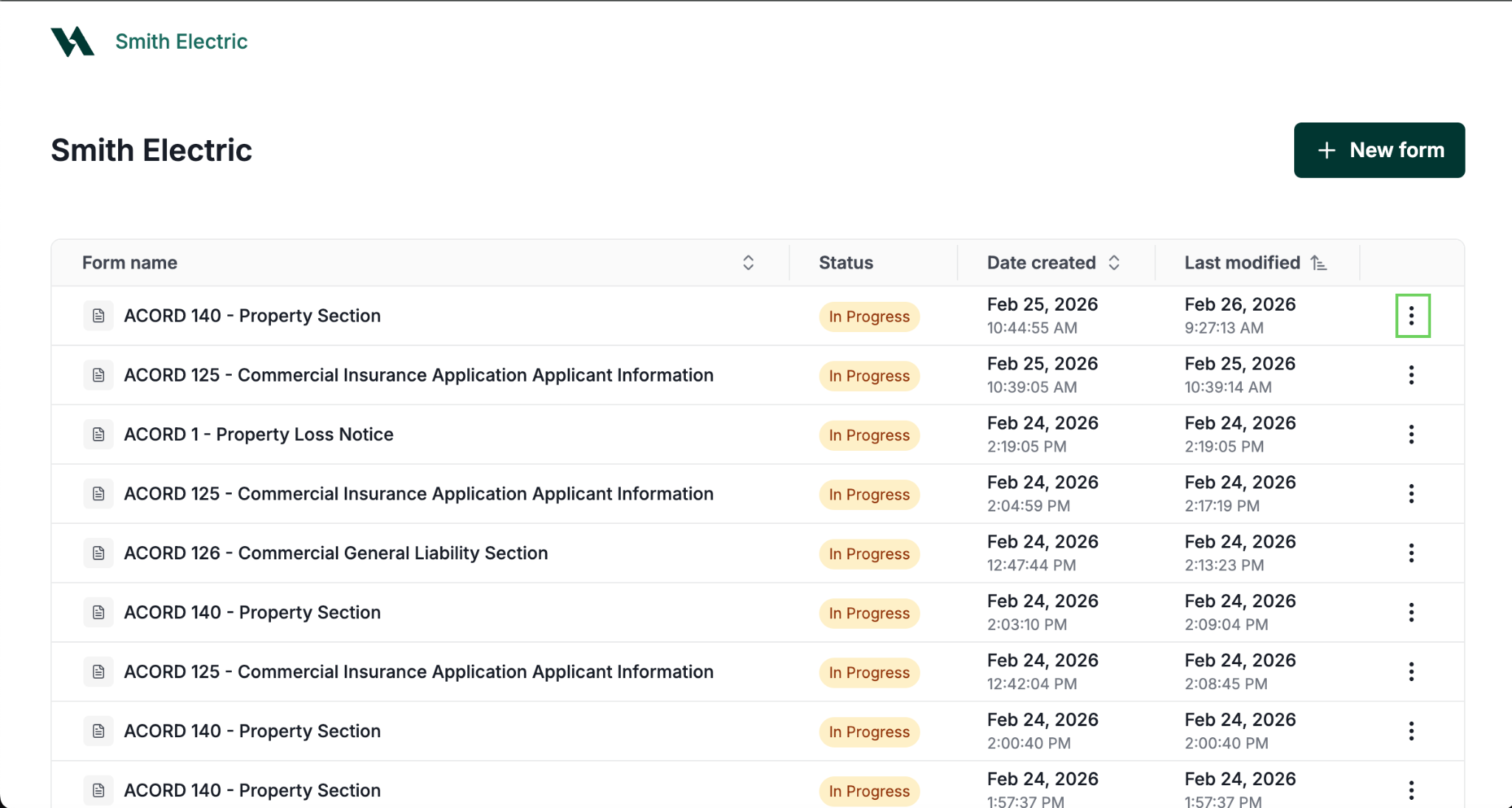
Click Delete.

To confirm, click Delete. Alternatively, click Cancel to return to the Forms List.
