Granting subscriber access to amplo
Last updated: October 2, 2026
Overview
In certain situations, system admins need to grant subscriber (login) access to amplo. This uses Salesforce's built-in Grant Account Login Access feature. The system admin must complete this step in the specific production or sandbox environment that support needs to access. This workflow can also be used for access to Accounting Seed.
Grant Access
Log in to Salesforce in the specific org or sandbox where amplo needs access.
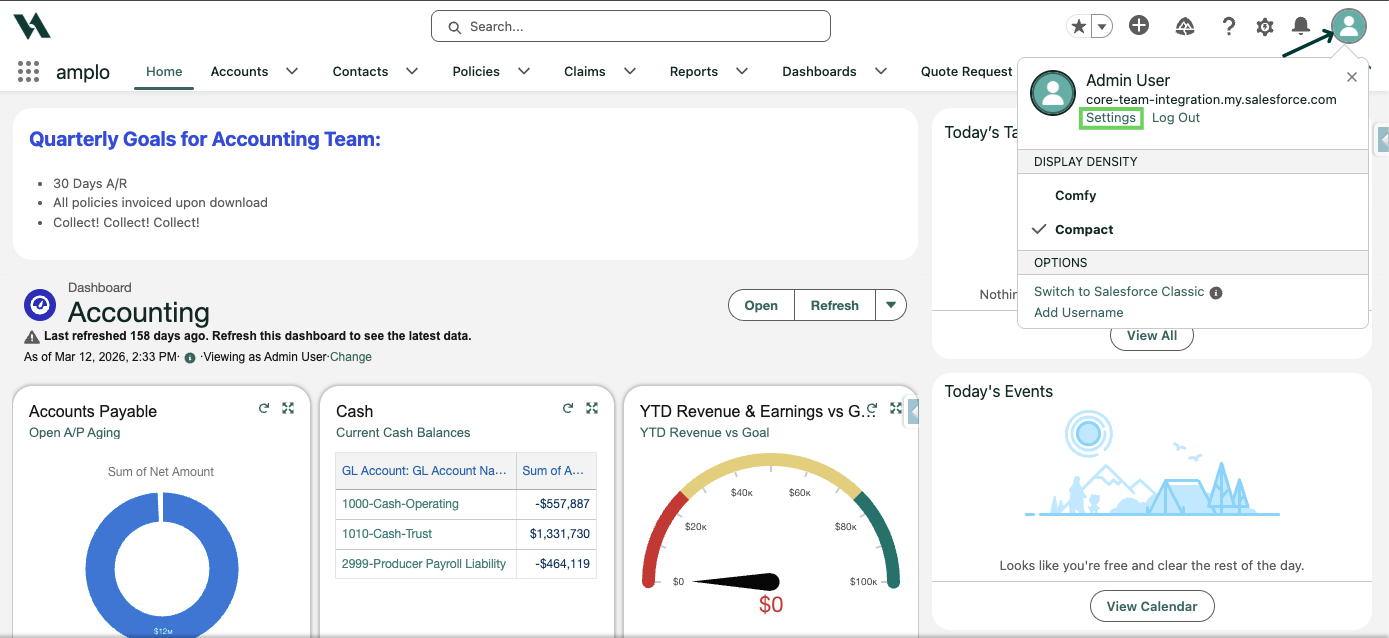
Click the profile icon in the top-right corner and select Settings.
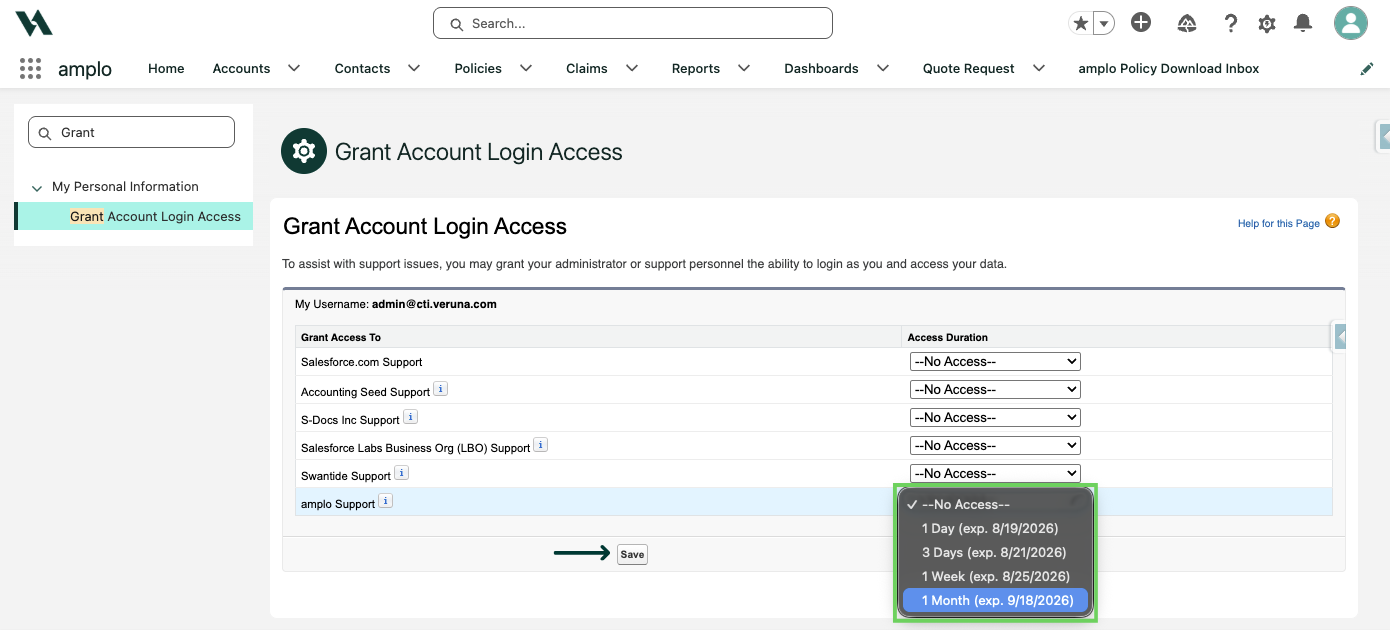
In Quick Find, search for and select Grant Account Login Access.

Next to amplo Support (or Accounting Seed), set an access duration and click Save.