Salesforce "Forgot Password" links expire immediately
Last updated: July 28, 2026
Overview
When users click the password reset link from Salesforce's Forgot Your Password email, it may appear expired even if clicked right away. Corporate email security tools such as Microsoft Safelinks or Mimecast often cause this by pre-scanning URLs, which Salesforce registers as a click and invalidates the link before the user opens it. Resolve the issue using one of the options below.
Update Salesforce password policies
Enable a Salesforce setting that prevents password reset links from expiring immediately. The setting must be applied at the profile level for each user profile in your org.
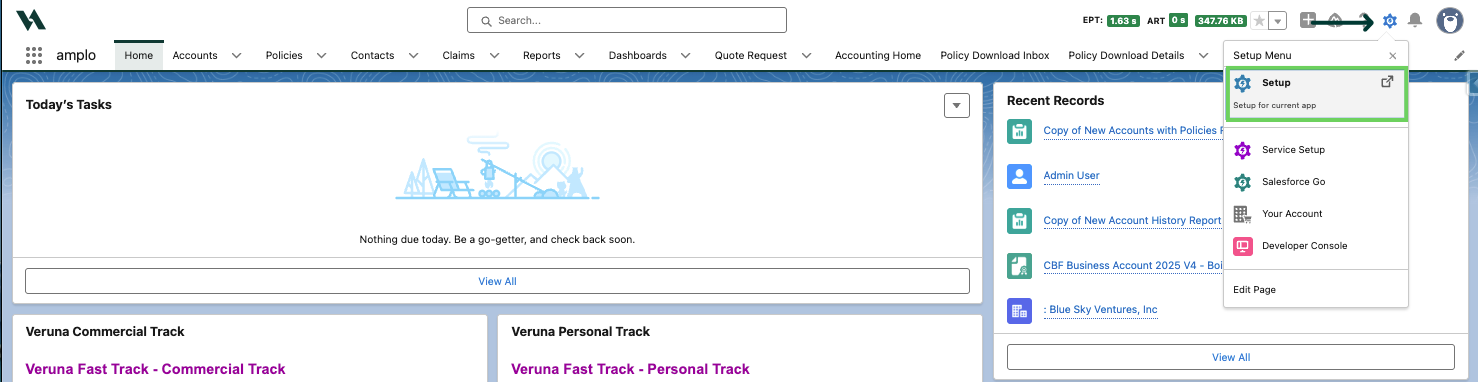
Use the gear icon to select Setup.
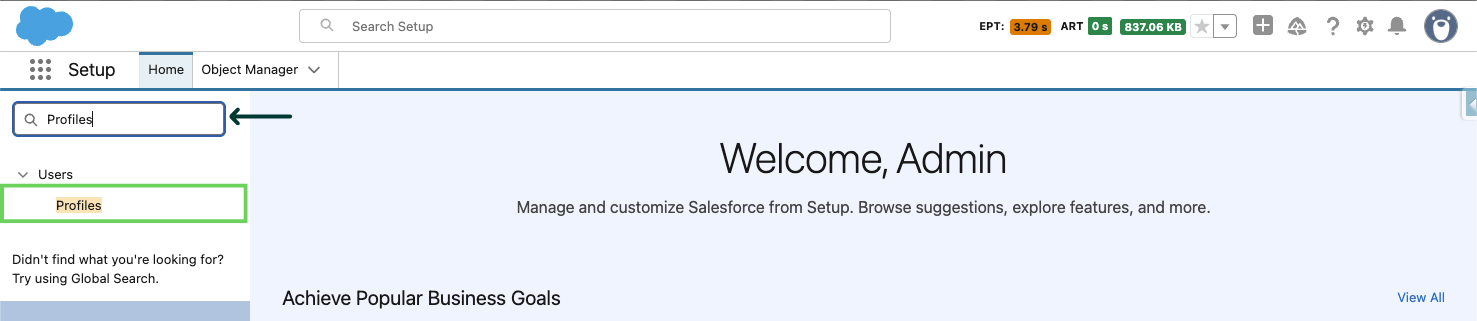
Use the Global Search to search and select Profiles.
Click into a specific profile.
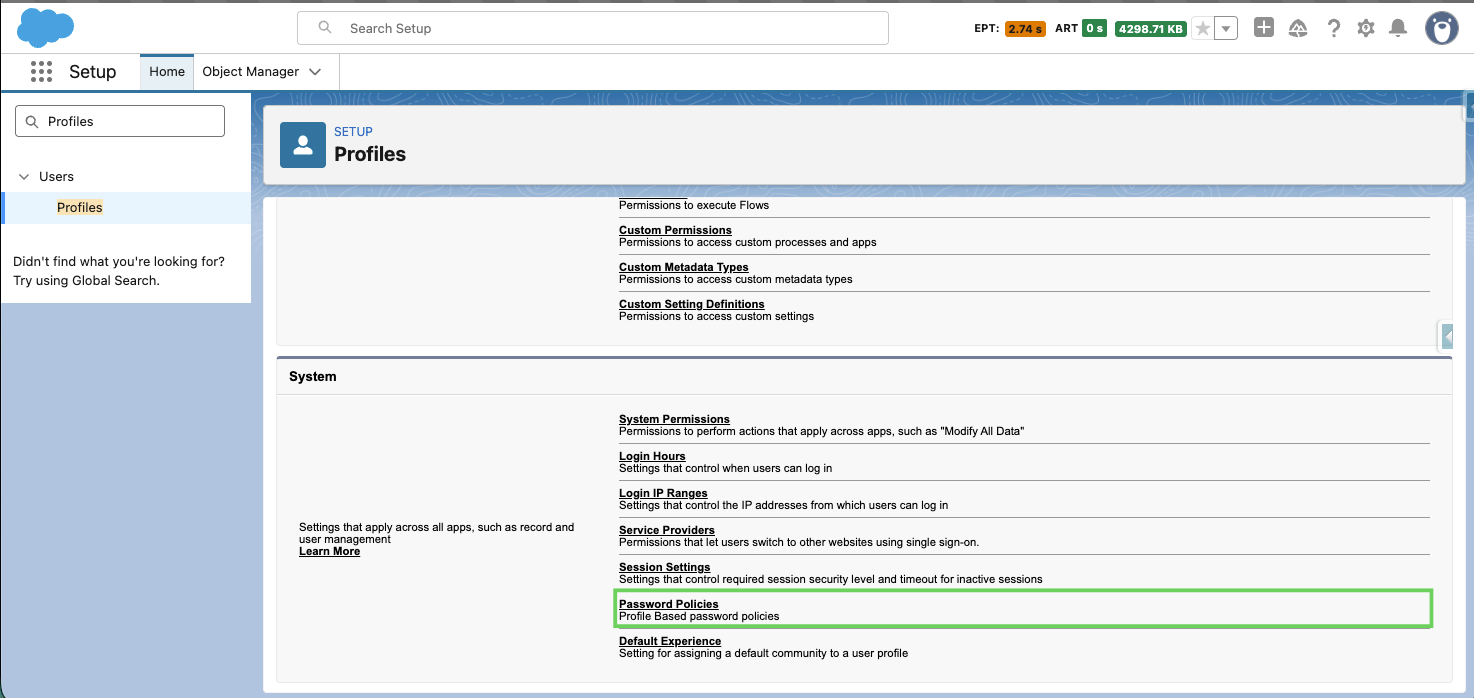
Scroll down to Password Policies.
Select Edit.
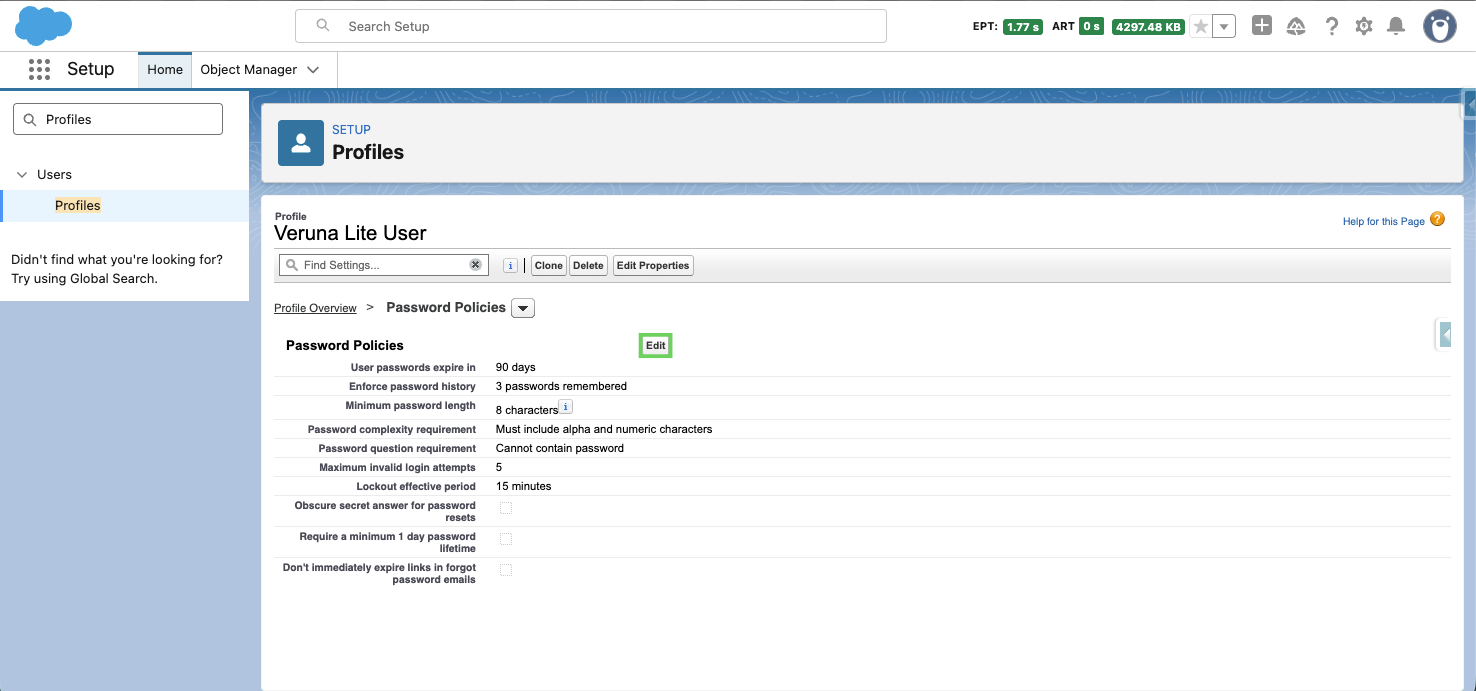
Then, check the box next to "Don't immediately expire links in forgot password emails" and click Save.
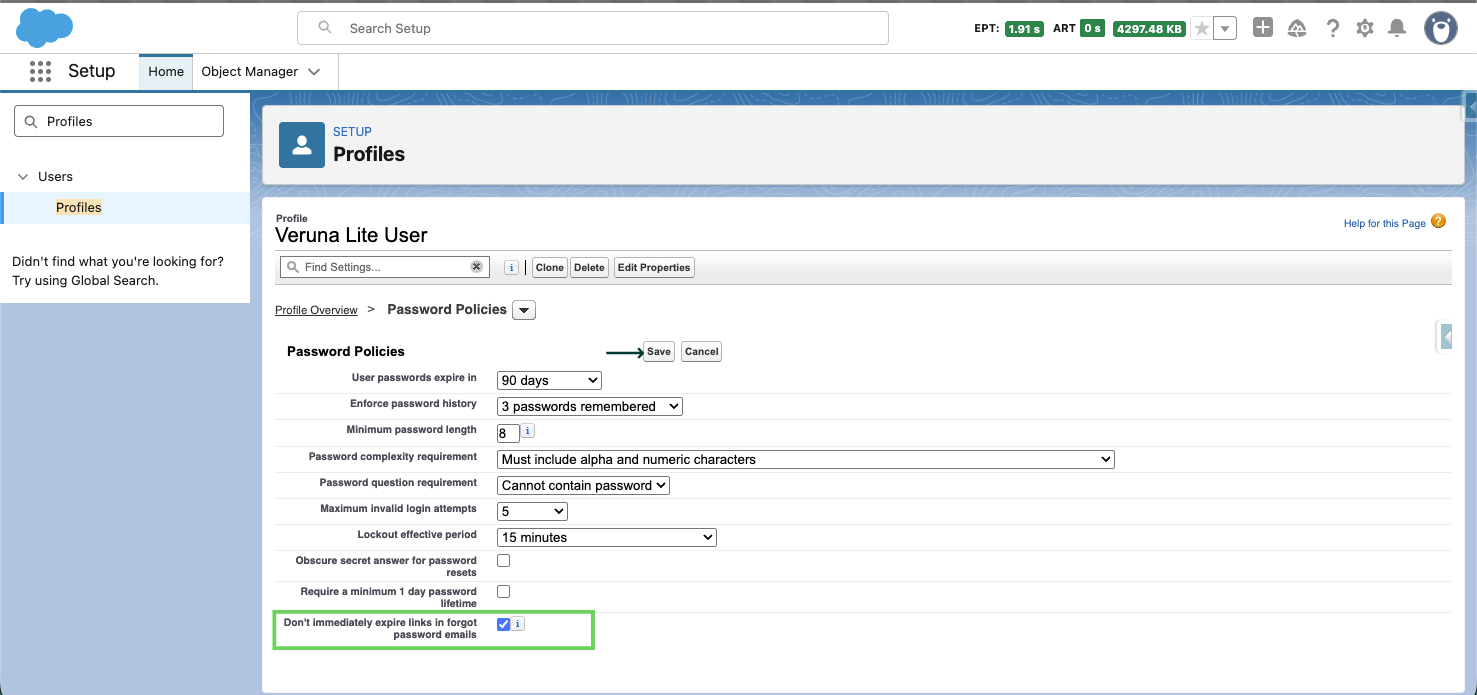
Repeat for each profile in your org.
Copy and paste reset link
If users continue to experience expired links, they can bypass the email security scan by copying the reset link and pasting it directly into their browser's address bar instead of clicking it.
Update email security policies (IT Team)
If the above steps do not fully resolve the issue, your IT team can configure your email security tool to stop pre-scanning Salesforce password reset URLs.
For organizations using Microsoft Defender for Office 365, refer to Microsoft's documentation on configuring the Do not rewrite the following URLs" list in Safe Links policies. Your IT team can add the Salesforce password reset URL pattern to this exclusion list.
Note: It can help to compare the links in both an admin-initiated password reset email and a user-initiated "Forgot Password" email, as these may be handled differently by your email security policies.