Global search of accounting objects
Last updated: November 4, 2025
Overview
The global search bar allows you to search for various accounting objects, such as Payables, Cash Disbursements, and other financial records.
While these objects are configured to appear in global searches, some records may not display immediately in the initial results. When this happens, there are a few ways to locate them quickly and accurately.
Process
If your accounting record (for example, AP-12345) doesn’t appear in your first search attempt, try one of the following methods:
Show more results
Enter your search term in the global search bar.
In the search results, scroll to the bottom and click Show more results.
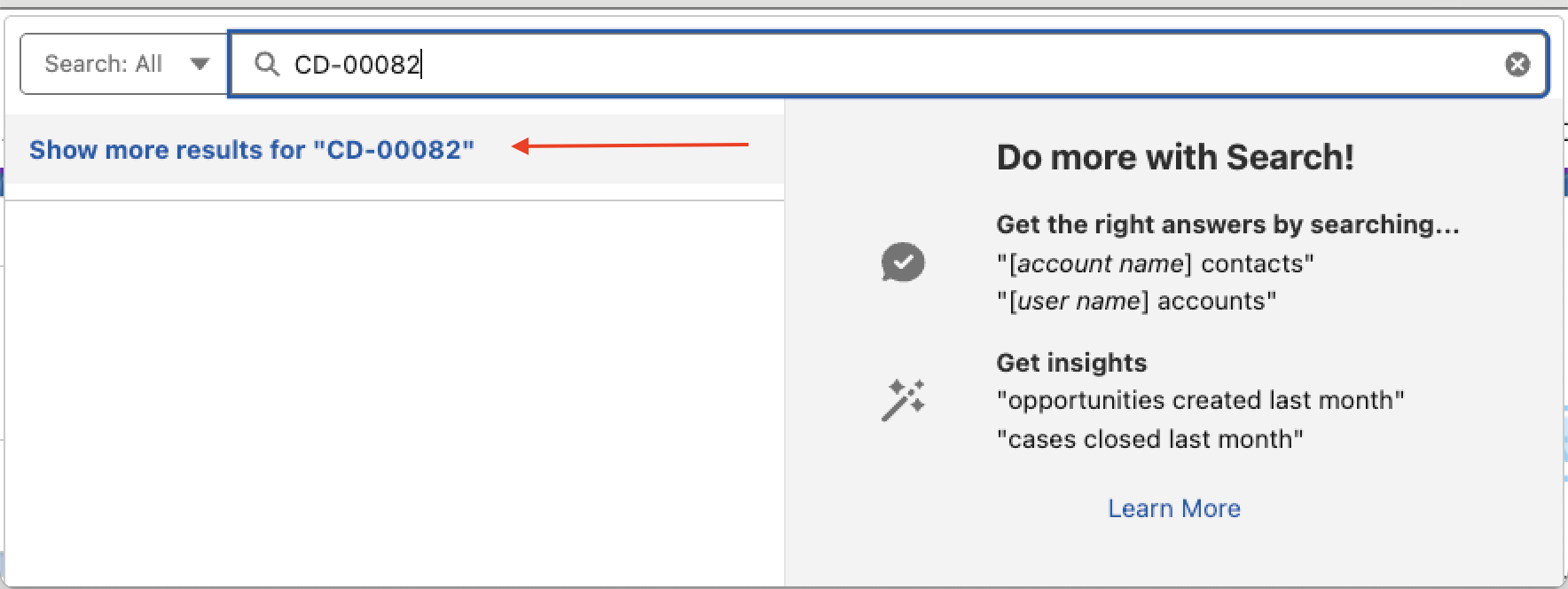
Review the expanded list to locate your record.
This method is helpful when you know the record ID or partial name, but it’s not immediately visible in the first few results.
Filter by object type
You can narrow your search to specific object types to find records more efficiently:
Click the dropdown menu on the left side of the global search bar.
Change the filter from All Objects to the specific object type you’re looking for (for example, Cash Disbursement or Payable).
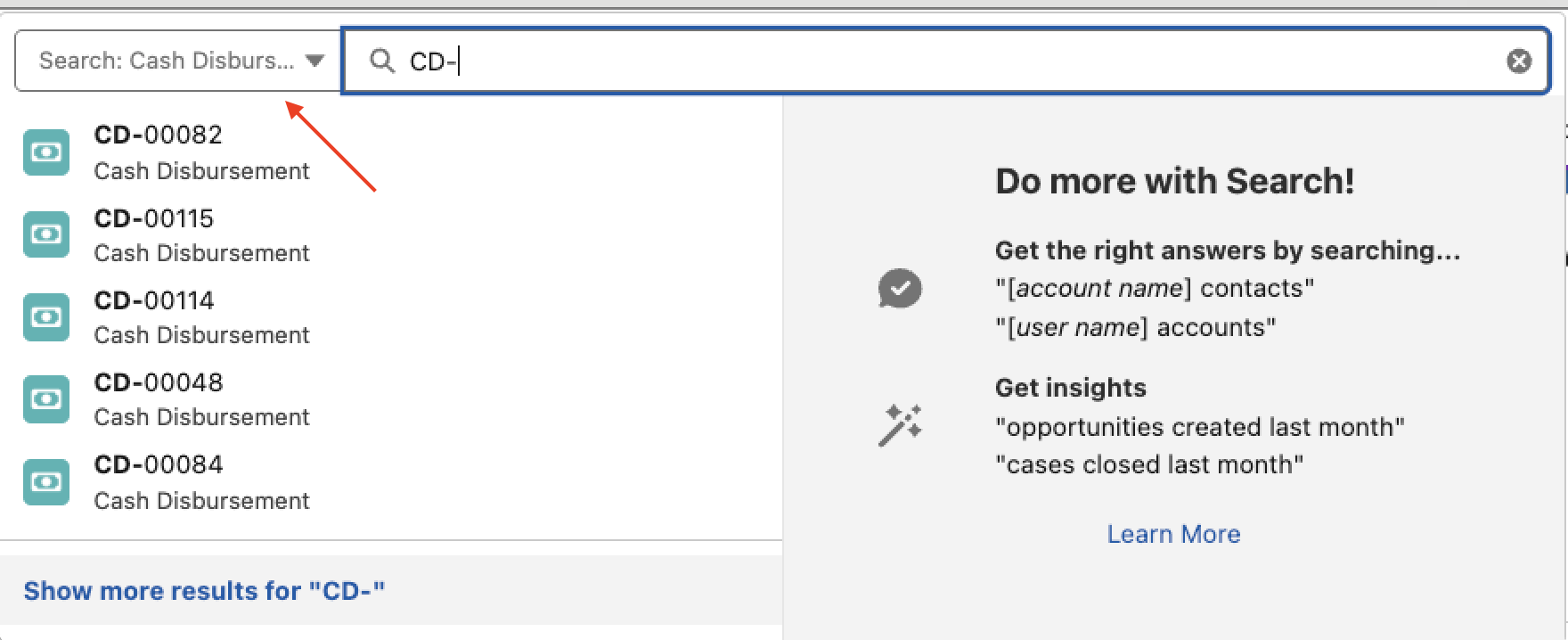
Enter your search term again and review the filtered results.
Filtering by object type helps narrow your search and ensures you’re only viewing relevant records.
Best practices
Use the object-specific filter first when you already know which type of record you’re searching for.
Keep your search terms concise (e.g., use AP-12345 instead of the full record name).
If you frequently search for the same record types, bookmark those filters for faster access.