Policy Page Redesign
Last updated: July 6, 2026
Overview
The policy page has been redesigned to make workflows faster and easier to follow. Fields are better organized, edits are more guided, and written policies now have a structured change process so your team always has a clear record of what changed and when, all with fewer clicks and less page navigation.
Policy page updates
Policy header badges

A color-coded status bar now appears consistently across all policies, displaying the following details at a glance:
Status
Record type
Package type (monoline or package parent)
Agency business type
Expiring soon (displayed only if the policy is within 30 days of expiration)
Summary header

Written commercial lines policies include a summary header showing:
Annual premium
Effective date
Agency commission
Expiration status:
Days to expiration (if not yet expired)
Days to expiration with an "Expiring Soon" warning (if within 30 days)
Days since expiration (if already expired)
New Policy Lines (previously named Lines of Business)
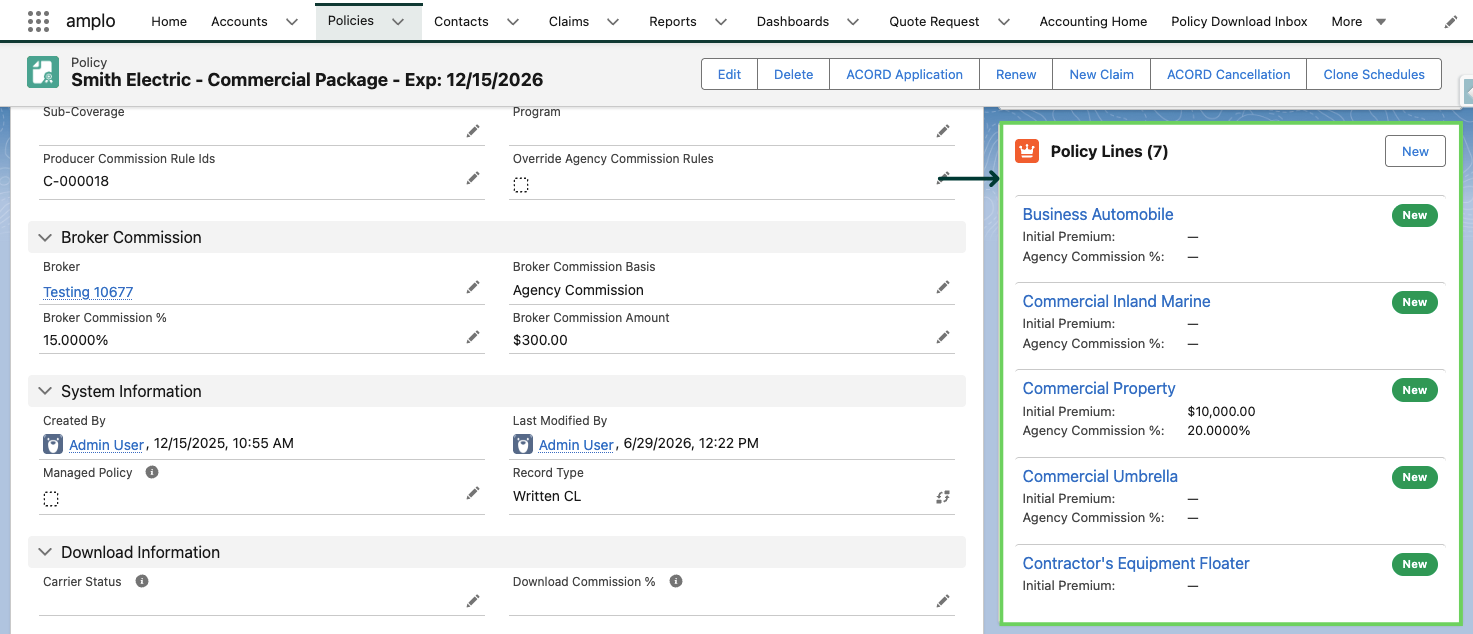
The Lines of Business component has been renamed Policy Lines and updated with the following:
Bulk adding and removing of policy lines for package policies
Restrictions on removing policy lines from written policies (additions are still permitted)
Displays the policy line, initial premium, agency commission percentage, and a color-coded status field
Quick viewing and editing via a modal, without navigating away from the page
Named insureds
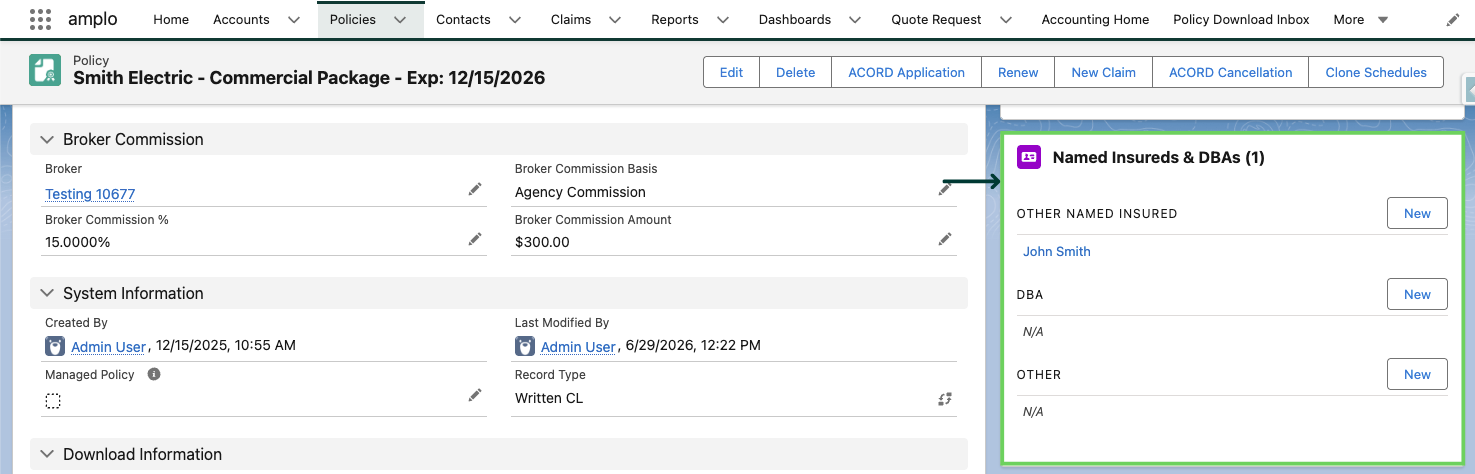
The Named Insured component now:
Displays names categorized by type: Other Named Insured, DBA, and Other
Supports quick addition of each entity type
Allows instant removal via hover action
Enables viewing and editing of additional information via a modal
Policy Actions
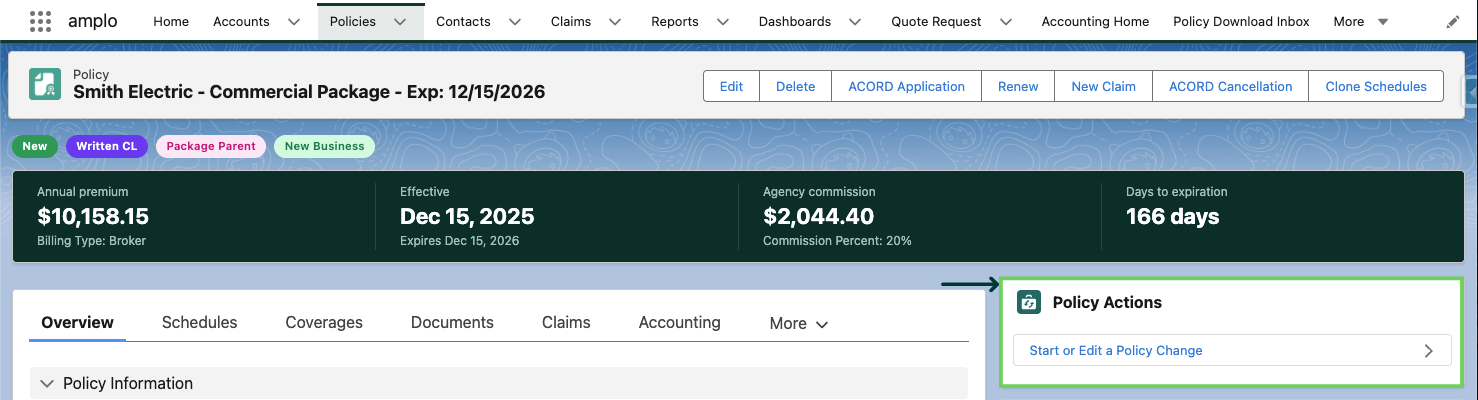
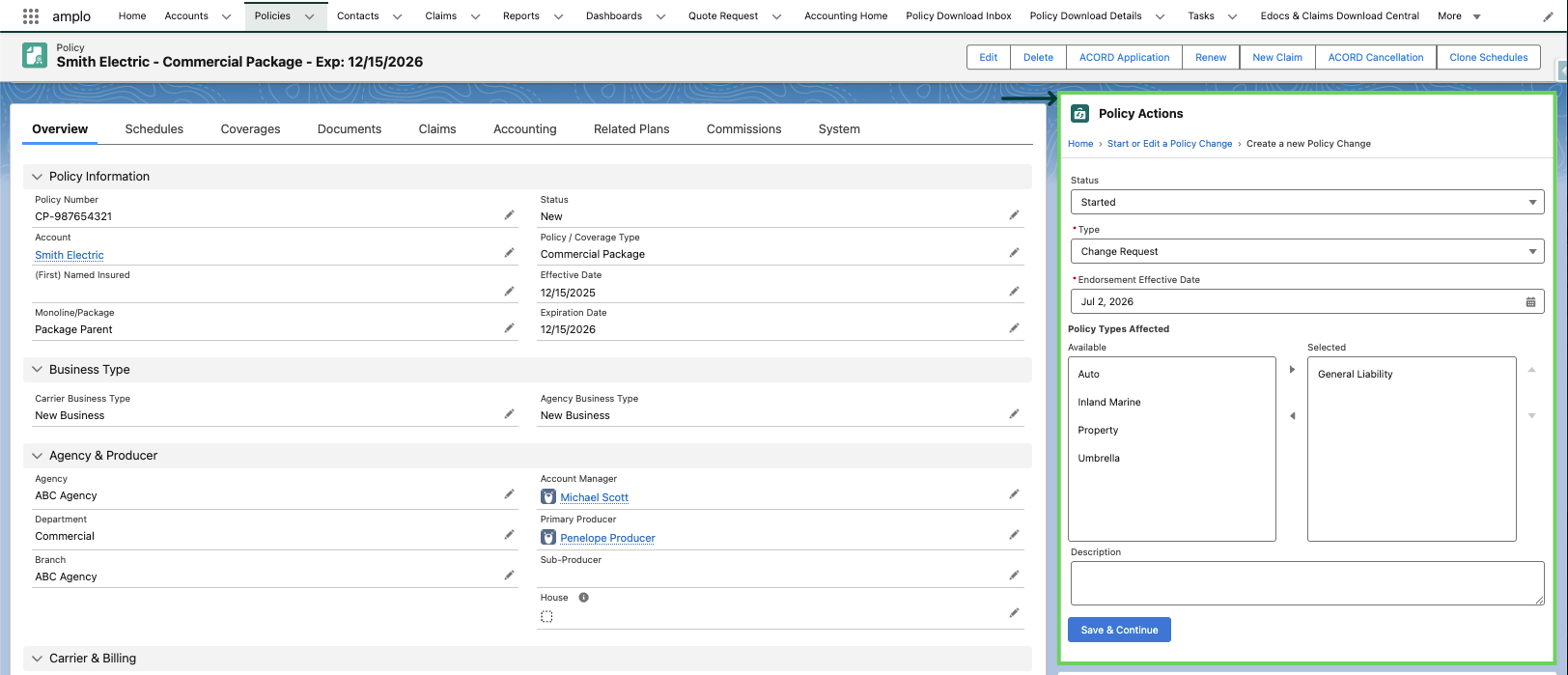
To create or edit a policy change, use the Policy Actions section on the policy record. The workflow includes the following fields:
Status (defaults to Started)
Type
Endorsement effective date
Policy types affected (displayed only for package parent policies)
Description
Policy change tasks
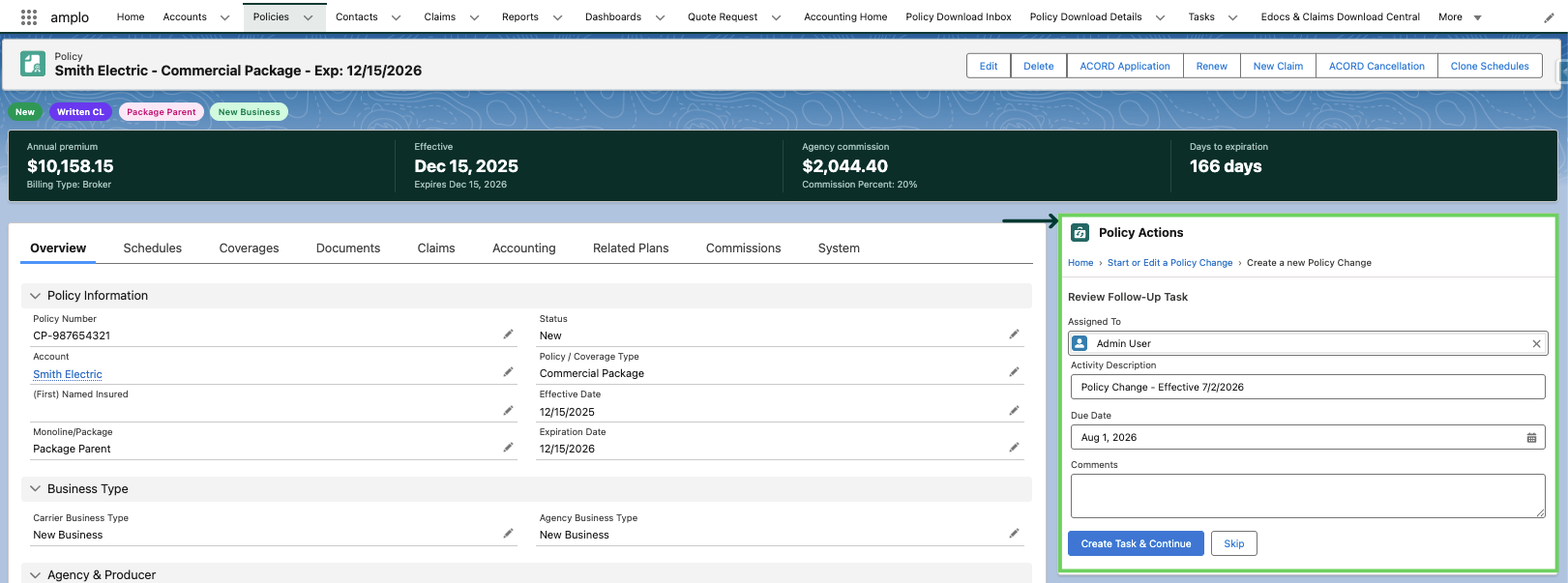
After saving a policy change, you're prompted to create a follow-up task before moving on. Task fields pre-populate based on the type of change, with a configurable default due date. Comments from the policy change are copied into the task automatically. You can skip task creation if it's not needed.
Policy change items
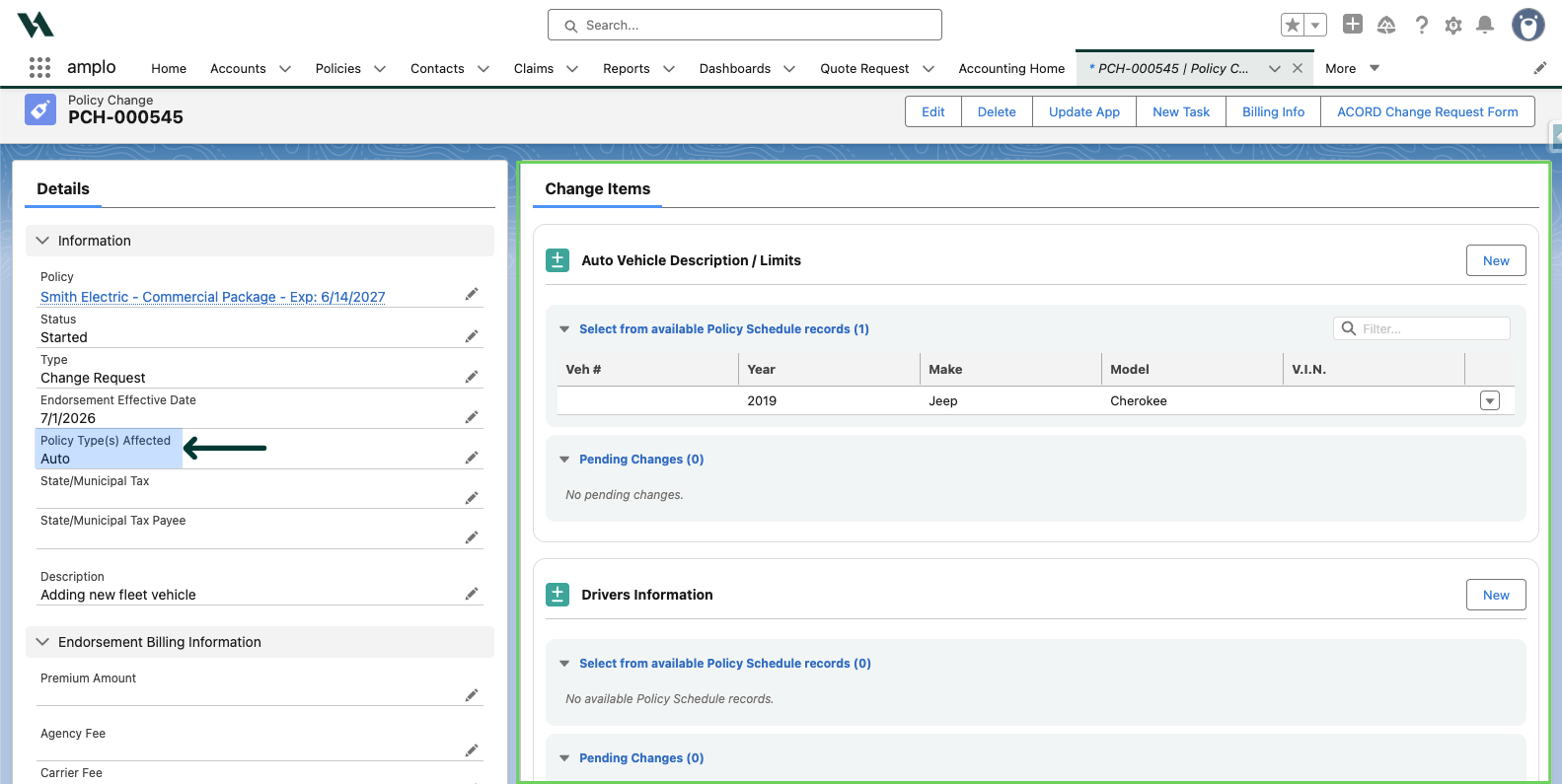
After navigating to the Policy Change interface, you can view, edit, and modify change items without leaving the page. Items displayed are based on the policy types affected selected during setup. When you create a policy change, only the fields and policy types relevant to that change are shown.
Note: Policy types affected options are dynamically generated based on the policy's lines of business. Expand each policy type affected in the accordion below to see its associated policy lines and change items.
Auto
Policy/Coverage Type (LOBs) | Change Items |
Business Automobile |
Business Owners
Policy/Coverage Type (LOBs) | Change Items |
Business Owners | |
BOP Liability | Property/Inland Marine Premises |
BOP Property | Commercial Inland Marine, GL Coverages, GL Hazards, Additional Interest |
General Liability
Policy/Coverage Type (LOBs) | Change Items |
General Liability | Premises, GL Coverages, GL Hazards, Additional Interest |
Inland Marine
Policy/Coverage Type (LOBs) | Change Items |
Commercial Inland Marine | |
Contractor's Equipment Floater | Custom Schedules |
Commercial Article's | Property |
Electronic Data Processing | Commercial Inland Marine |
Glass | Additional Interest |
Motor Carriers
Policy/Coverage Type (LOBs) | Change Items |
Motor Carriers |
Property
Policy/Coverage Type (LOBs) | Change Items |
Commercial Property | |
Commercial Fire | Property/Inland Marine Premises, Additional Interest |
Truckers
Policy/Coverage Type (LOBs) | Change Items |
Truckers |
Umbrella
Policy/Coverage Type (LOBs) | Change Items |
Commercial Umbrella | |
Excess Liability | Umbrella Changes |
Workers' Comp
Policy/Coverage Type (LOBs) | Change Items |
Workers' Compensation |